SceneWyse AI Video Analytics : Proudly Developed by Webskitters

 November 16, 2026
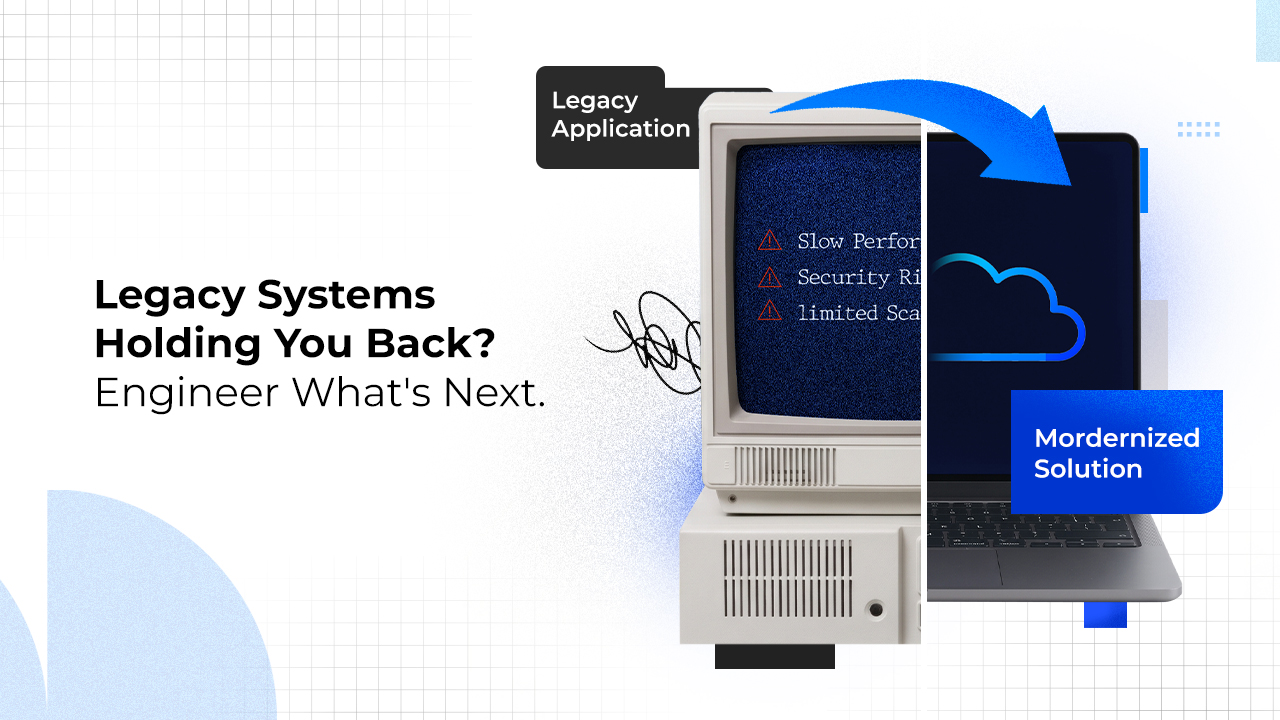
Legacy application modernization is the process of improving existing applications and updating their technology to make them more maintainable, secure, and adaptable.
But why should you modernize?
Imagine a bank still relying on a decades-old application to process transactions, manage customer orders, or approve loans. The system may perform these tasks reliably, but connecting it to modern mobile banking or running real-time fraud detection may become difficult.
Software once supported growth doesn’t guarantee barrier-free progress in the future. With applications becoming older, outdated technology, disconnected databases, limited scalability, and rising maintenance requirements make it harder to meet evolving customer and operational needs. That’s why legacy application modernization is important.
It introduces automation, advanced analytics, and AI integration services while eliminating the need for rebuilding every system from scratch or moving everything to the cloud. However, the right way to modernize always depends on the application’s condition, technical complexity, business value, and future requirements.
This guide is here to explain how to inspect legacy systems, choose and implement a modernization strategy, plan migration, select the right architecture, and integrate modern capabilities without causing unnecessary workflow disruptions.
What Is Legacy Application Modernization?
Legacy application modernization is the method of redesigning older application architecture to meet today’s business, technical, and security requirements. It applies effective changes to application code, databases, user interfaces, integrations, infrastructure, or the overall system.
The goal: To enhance the ability of an application to support diverse business operations while addressing limitations associated with outdated technology.
For example, a retailer may keep using an older inventory management application that isn’t capable of communicating directly with its e-commerce platform. This means employees will then have to update stock information manually, causing the risk of inappropriate availability data.
With modernization comes these benefits:
- Introduction of APIs that connect inventory records with the e-commerce store.
- Application database upgradation, improvement in hosting environments, and stock synchronization automation.
So, as you explore these improvements, AI integration services can help you connect suitable AI capabilities with existing applications and system workflows. From intelligent document processing and customer support automation to predictive analysis and demand forecasting, your systems may get it all to solve real business problems seamlessly.
What Makes an Application Legacy?
An application is referred to as legacy when its architecture, technology, or maintenance model grows too old and makes it harder for a business to meet its current requirements. However, modernizing it shouldn’t just be dependent on its age.
A system developed fifteen years ago can still be worthy today – it can still be secure, reliable, and easy to maintain. Whereas another application built recently may have serious architectural limitations.
So, before modernizing your existing application, check it based on these factors:
- Outdated Technology: The application relies on frameworks, databases, programming languages, or operating systems that don’t support evolving business needs.
- Limited Integration: It struggles to exchange information with newer applications, cloud platforms, or third-party services.
- Scalability Limitations: The system encounters operational difficulties with an increase in users, transactional volumes, or data requirements.
- Security Concerns: Outdated dependencies, unsupported components, or weak access controls create additional risks.
- High Maintenance Requirements: Developers are witnessed spending more time fixing existing problems than developing new capabilities.
- Limited Documentation: Only a few employees have technical knowledge and know business rules.
- Rigid Architecture: The application’s architecture is so rigid that even the smallest changes can affect several interconnected components.
If these problems exist, they are most likely to increase operational risks while slowing down business improvement. However, that doesn’t mean all your legacy applications need to be modernized. While some may work as expected and need only a few upgrades to perform better, others may require a complete architectural redesign.
Modernization vs. Migration: What Is the Difference?
There’s a relation between modernization and migration, but they have different meanings.
Legacy application migration involves the transfer of an application, its data, or its supporting infrastructure from one environment to another. For example, a business may move an application from an on-premises server to a cloud-based virtual machine without changing its code.
Whereas modernization moves beyond. It improves an application entirely – from its technology stack to its component – so everything falls in place and works together to satisfy specific business demands.
| Area | Application migration | Application modernization |
|---|---|---|
| Primary objective | Move an application to another environment | Improve the application's capabilities and limitations |
| Code changes | May require few or no changes | Can involve code updates or architectural redesign |
| Infrastructure | Changes hosting or deployment environment | May introduce cloud, container, or serverless infrastructure |
| Integration | Existing integrations may remain unchanged | APIs and modern integration patterns may be introduced |
| Expected outcome | A new hosting environment | Better maintainability, scalability, security, or functionality |
Modernization is a complete project in itself, and migration is just a part of it. However, migration can create problems if it moves an application to a new environment without addressing its underlying limitations.
When Should a Business Modernize a Legacy Application?
Modernizing a legacy application should be done when its limitations will start affecting business performance or create serious operational risks.
These signs tell you when you need to consider modernization:
- The system is unable to support new services, products, or customer experiences.
- Maintenance costs continue to rise with no improvement in application performance.
- Integration with newer business applications requires manual effort.
- The application is failing to handle increasing transaction volumes.
- Security updates and vendor support have become unavailable.
- Data is stored in disconnected systems, making reporting and analysis too complex to handle.
- Developers are struggling to modify the existing application because the codebase is difficult to understand.
Your application’s strategic importance is also worth noting when considering modernization. A system with critical financial transactions may require a unique modernization plan – different from what’s needed by an outdated internal tool used by a small team.
Why Is Legacy Application Modernization Important?
Modernization is all about helping businesses reduce the restrictions of older applications while creating a stronger foundation for any future technology investments. However, it goes beyond just benefitting IT operations.
The advantages of legacy application modernization also primarily affect employee productivity, customer experience, business continuity, and how fast new services reach the market.
Reducing Technical Depth and Maintenance Pressure
When applications keep relying on outdated components, short-term fixes, or design decisions that make potential changes difficult to implement, technical debt increases.
For example, a business may have integrated several features into an old application over the years without fixing or updating its underlying architecture. This makes even the most minor changes hard to implement.
So, with modernization, development teams can remove obsolete components, simplify code, update dependencies, and improve testing practices. But they don’t need to rewrite the entire application. They just need targeted refactoring to reduce maintenance effort and predict future developments more easily.
Improving Security and Compliance
If not all, some of your older applications may depend on outdated libraries, unsupported operating systems, or authentication methods that no longer meet security expectations. But modernization can help make a difference. It introduces stronger access controls, secure APIs, encryption, centralized monitoring, and regular security updates.
It also opens the door to reviewing how sensitive data is stored, processed, and shared. If you are a business operating in a regulated sector, you should focus on data residency, audit requirements, retention policies, and industry-specific compliance obligations before choosing a target environment.
Security should be the integral part of your modernization plan, not a final testing activity.
Supporting Business Growth and Scalability
When an application is designed for a limited number of users, it is most likely to struggle with business expansion. But modern infrastructure and architecture patterns can manage changing workloads more efficiently.
Imagine an e-commerce platform experiencing significant traffic increases during seasonal sales. So, a well-designed environment here can scale selected services independently instead of letting the business increase resources to run the entire application appropriately.
However, you need more than just cloud hosting to guarantee scalability. Factors like application design, workload management, database performance, caching, and infrastructure configuration all influence the demand-handling capacity of a system.
Making Integration Easier
A single application cannot support business operations. Organizations rely on connected systems for finance, inventory, logistics, customer management, analytics, payments, and employee operations, which legacy applications may fail to support. They may use outdated communication methods or proprietary interfaces that complicate integration.
But modernization brings you event-driven processing, API-based communication, and standardized data exchange, allowing applications to share information more consistently while reducing reliance on manual data entry.
Creating Room for Innovation
Modern applications already come with room for innovation. You can easily extend them with new capabilities, with data, architecture, and integration layers designed appropriately. Businesses can then bring mobile features, advanced analytics, automated workflows, and AI-powered capabilities into play without directly modifying an old application.
A survey by the IBM Institute of Business Value discovered that 83% of C-suite executives considered modernizing legacy applications and data in line with their organization’s business strategy. This finding highlights the strategic importance businesses give to modernizing technology foundations.
What Are the Main Legacy Application Modernization Strategies?
Not every application is meant to work on a single modernization approach. Each system has its own requirements. So, when it comes to choosing the most suitable option, it should always depend on the application’s condition, technical dependencies, expected outcomes, and business value.
Rehosting
Rehosting, also known as “lift and shift”, is the process of moving an application to a new infrastructure environment without making the necessary changes to its code.
Best Suited For: Applications that need to move to a new hosting environment without any immediate architectural changes.
Limitation: Existing code, performance, and scalability problems may not disappear after the transfer.
Replatforming
Replatforming involves making selective optimizations to an application while moving it to a new environment.
Your business may move an application to the cloud and replace a self-managed database with a managed one. The application will remain broadly the same, but some infrastructure responsibilities may become easier to manage.
Best Suited For: Applications that operate reliably but depend heavily on infrastructure that creates unnecessary operational or maintenance effort.
Limitation: Replatforming is unlikely to solve deeper problems within the application’s architecture.
Refactoring
Refactoring is a strategy that improves the internal structure of existing code without changing its external functionality if not necessary.
A development team may simplify complex functions, eliminate duplicate logic, introduce automated tests, or improve error handling.
Best Suited For: Applications that still meet business requirements but cannot be maintained or expanded.
Limitation: Careful testing. Because changes to existing code can lead to unexpected behavior.
Rearchitecting
Rearchitecting involves the process of changing the fundamental design of an old application to address limitations that cannot be resolved by minor improvements.
For example, a tightly coupled monolithic application may be redesigned into independently deployable services when there’s clear business value provided by release cycles, separate scaling, or team ownership.
Best Suited For: Applications that fail to meet important integration, performance, or scalability requirements.
Limitation: The system requires engineering effort, significant planning, and ongoing operational maturity.
Rebuilding
Rebuilding is the process of developing a new application while keeping business requirements and the existing system’s functionality intact.
You can use this strategy when the current codebase is poorly documented, difficult to preserve, or designed on technology that fails to support future needs.
Best Suited For: Applications with a large number of technical limitations that cannot be addressed economically.
Limitation: Rebuilding takes considerable time and can create functional gaps with no properly documented business rules.
Replacing
Replacing simply means adopting an existing commercial or SaaS product rather than maintaining a custom-built application. For instance, your business can replace a customer management system that’s developed internally with a suitable CRM platform.
Best Suited For: Applications with a trusted commercial product that can meet business requirements more effectively.
Limitation: Necessarily evaluating licensing, data migration, customization, vendor dependency, and integration requirements.
Retaining or Retiring
Not every application needs to be modernized.
- Retain: Keep an application in its current environment when modernization offers limited value or when dependencies make immediate change impractical.
- Retire: Decommission an application that is no longer required, has been replaced, or provides little business value.
AWS describes seven common cloud migration strategies, known as the 7 Rs: retire, retain, rehost, relocate, repurchase, replatform, and refactor or rearchitect. These categories help businesses assess what to do with different workloads rather than assuming that every application must follow the same path.
| Strategy | Main change | Typical business objective |
|---|---|---|
| Rehosting | Move without major code changes | Change hosting environment |
| Replatforming | Move with selected optimizations | Reduce infrastructure effort |
| Refactoring | Improve internal code structure | Improve maintainability |
| Rearchitecting | Redesign core architecture | Remove structural limitations |
| Rebuilding | Develop a new application | Replace an unsuitable codebase |
| Replacing | Adopt another product | Reduce custom application maintenance |
| Retaining | Keep the current application | Avoid unnecessary investment |
| Retiring | Decommission the application | Remove unused systems |
The table includes common modernization approaches alongside the AWS 7 Rs. Rebuilding is often discussed separately, while relocate is one of the AWS migration categories.
How to Choose the Right Legacy Application Modernization Strategy
Choosing a strategy requires more than comparing technologies. Businesses should understand what the application does, why it needs improvement, and how much change is necessary to achieve the desired outcome.
A useful legacy application modernization strategy should consider the following factors.
-
Application Complexity and Dependencies
Start by mapping the application’s components, databases, integrations, infrastructure, and external dependencies.
An application may appear simple but depend on several systems that are not immediately visible. Changing one component without understanding these relationships can disrupt other business processes.
Document:
- Application modules and their responsibilities.
- Database connections and data dependencies.
- External APIs and third-party integrations.
- Authentication and access-control mechanisms.
- Infrastructure and hosting requirements.
- Batch jobs, scheduled tasks, and background processes.
This assessment helps determine whether the application can be upgraded incrementally or requires a more substantial redesign.
-
Business Criticality
Not every application carries the same level of operational risk.
A payment processing system, for example, may require strict availability and transaction consistency. An internal reporting tool may tolerate planned downtime.
Classify applications according to their business importance, recovery requirements, user impact, and acceptable downtime.
Critical applications usually benefit from phased modernization, extensive testing, and carefully planned rollback procedures.
-
Budget and Available Resources
A complete rebuild may offer long-term flexibility, but it also requires more engineering time and investment.
Businesses should compare the total cost of each approach, including:
- Development and migration expenses.
- Infrastructure and licensing.
- Data conversion and validation.
- Testing and security reviews.
- Employee training.
- Ongoing monitoring and maintenance.
The least expensive initial option may not be the most economical over several years. Evaluate the expected long-term cost alongside the immediate project budget.
-
Security and Compliance Requirements
Identify the security controls and regulatory requirements that apply to the application.
Consider encryption, identity management, audit logging, data residency, retention policies, and third-party access.
For applications that process sensitive information, the modernization approach should preserve required controls throughout development, migration, and deployment.
-
Desired Business Outcomes
Define what success should look like before selecting the technology.
A business may want to reduce release cycles, improve application availability, simplify integrations, lower maintenance effort, or support a larger customer base.
The selected strategy should directly address these outcomes.
A Simple Strategy Selection Matrix
| Application condition | Possible approach | Reason |
|---|---|---|
| Stable application with outdated hosting | Rehost or replatform | Infrastructure is the main limitation |
| Difficult-to-maintain code | Refactor | Internal code quality needs improvement |
| Architecture limits scaling and integration | Rearchitect | Structural changes are necessary |
| Unsupported or poorly documented application | Rebuild | Existing code is unsuitable for continued development |
| Suitable commercial alternative exists | Replace | A managed product may meet requirements |
| Low-value application with no future use | Retire | Continued maintenance is unnecessary |
| Application has unresolved dependencies | Retain temporarily | Immediate change may create operational risk |
Microsoft’s modernization guidance recommends choosing the least amount of change needed to achieve an approved business outcome within acceptable cost and risk. This is a useful principle: Do not redesign an entire system when a targeted platform upgrade can solve the problem.
Step-by-Step Process for Legacy Application Modernization
A structured process helps businesses reduce uncertainty, protect existing operations, and make modernization easier to manage.
Step 1: Assess the Existing Application
Begin with a detailed assessment of the application’s current condition.
Review its source code, technology stack, databases, integrations, infrastructure, performance, security controls, and maintenance history.
Talk to the people who use and maintain the application. They can identify operational workarounds, undocumented business rules, and recurring problems that may not appear in technical reports.
The assessment should produce a clear picture of:
- What the application does.
- Which business processes depend on it.
- Where its technical limitations exist.
- Which components need immediate attention.
- What can be retained, improved, replaced, or retired.
Expected output: An application assessment with documented dependencies, risks, and modernization opportunities.
Step 2: Define Modernization Goals
Set measurable objectives before choosing technologies or starting development.
For example, a business may want to reduce application downtime, shorten release cycles, improve response times, or eliminate manual data transfers between systems.
Avoid goals such as “move everything to the cloud” unless cloud adoption directly supports a defined business requirement.
Instead, establish targets such as:
- Improve application availability.
- Reduce deployment failures.
- Shorten the time required to release updates.
- Improve integration reliability.
- Reduce infrastructure maintenance.
- Strengthen security and auditability.
Expected output: A modernization roadmap with business objectives, measurable targets, and project priorities.
Step 3: Select the Modernization Approach
Use the assessment findings and business objectives to choose the appropriate strategy for each application.
Some applications may need rehosting, while others may require refactoring or rearchitecting. A business may also decide to replace certain systems and retire unused applications.
Avoid treating the entire application portfolio as one project. Different applications may require different approaches.
Expected output: A strategy for each application, supported by cost estimates, risk assessments, and business justification.
Step 4: Design the Target Architecture
Define how the modernized application should operate.
This includes selecting the application structure, database design, hosting environment, integration methods, security controls, and deployment model.
For example, a business may retain a monolithic application while introducing an API layer to connect it with newer services. Another may separate specific business capabilities into independently deployable services.
The architecture should reflect actual workload requirements. Microservices, containers, and cloud platforms are not automatic improvements if the application does not need them.
Expected output: A target architecture that documents components, interfaces, infrastructure, security, and operational requirements.
Step 5: Plan Data Migration and Integration
Data migration requires careful preparation because applications often contain years of business records, customer information, and transaction history.
Start by identifying data sources, formats, relationships, quality issues, and retention requirements.
Then define how data will be extracted, transformed, validated, and loaded into the target environment.
Integration planning should cover how the modernized application will communicate with existing systems. APIs, message queues, and event-driven communication may be suitable depending on the required interaction pattern.
Expected output: A data migration and integration plan with validation rules, ownership, security controls, and rollback procedures.
Step 6: Modernize Application Components
Implement the selected changes in manageable stages.
This may involve updating frameworks, replacing unsupported libraries, improving database queries, introducing APIs, separating selected modules, or moving workloads to managed infrastructure.
Where possible, modernize smaller components first. This gives teams an opportunity to test the new architecture and identify issues before changing more critical parts of the application.
Use version control, automated builds, code reviews, and repeatable deployment processes throughout development.
Expected output: Updated application components that meet the agreed technical and business requirements.
Step 7: Test the Application Thoroughly
Testing should confirm that the modernized application works correctly and does not disrupt existing business processes.
Include:
- Functional testing: Check whether application features behave as expected.
- Integration testing: Verify communication between connected systems.
- Performance testing: Evaluate response times and behavior under expected workloads.
- Security testing: Identify vulnerabilities and validate access controls.
- Data validation: Confirm that migrated records remain accurate and complete.
- User acceptance testing: Check whether the application meets real operational requirements.
- Regression testing: Ensure that existing functionality still works after changes.
For critical applications, test recovery procedures and failure scenarios as well.
Expected output: A tested application with documented results and approval for deployment.
Step 8: Deploy, Monitor, and Improve
Deploy the modernized application using a release strategy suited to its business criticality.
A phased rollout may be appropriate when the system supports essential operations. Techniques such as blue-green deployment or canary releases can reduce the impact of deployment issues when the infrastructure and application design support them.
After deployment, monitor application performance, errors, availability, resource usage, and user feedback.
Modernization should not end when the new application goes live. Teams need to review performance, update dependencies, address emerging security issues, and improve the application as business needs change.
Expected output: A stable production application supported by monitoring, maintenance, and continuous improvement processes.
Choosing the Right Application Modernization Architecture
The architecture determines how an application is structured, how its components communicate, and how it can evolve over time.
The right Application modernization architecture depends on the application’s complexity, workload, integration needs, development team, and operational capabilities.
Monolithic Architecture
A monolithic application is built and deployed as a single unit. Its user interface, business logic, and data access components are generally part of the same application.
This structure can be suitable for smaller applications with limited complexity and a development team that needs a straightforward deployment model.
However, tightly coupled components can make large monoliths harder to change. A small update may require testing and deploying the entire application.
Choose it when: The application is relatively simple, its components do not need independent scaling, and a single deployment unit remains practical.
Modular Monolithic Architecture
A modular monolith keeps the application as one deployable unit but organizes its code into clearly defined modules.
Each module handles a specific business responsibility and communicates through controlled interfaces.
For example, an e-commerce application may have separate modules for product management, inventory, orders, and customer accounts while retaining a single deployment process.
This approach improves code organization without introducing the operational complexity of distributed services.
Choose it when: The application needs better separation of responsibilities but does not require independently deployed services.
A modular monolith is not the same as microservices. Its modules may be logically independent, but they still run and deploy as part of one application.
Microservices Architecture
Microservices divide an application into smaller services that can be developed, deployed, and scaled independently.
For example, an online retailer may operate separate services for product catalogues, customer accounts, order processing, and payments.
This structure can support independent development and scaling. However, it also introduces distributed-system challenges, including network failures, service discovery, monitoring, data consistency, and more complex deployment management.
Choose it when: Different business capabilities need independent release cycles, scaling requirements, or team ownership, and the organization can manage distributed systems effectively.
Cloud-Native Architecture
A cloud-native architecture is designed to take advantage of cloud platform capabilities such as managed services, elastic infrastructure, automation, and distributed deployment.
It may use containers, orchestration platforms, serverless services, managed databases, and automated delivery pipelines.
Cloud-native does not mean that every application must use Kubernetes or microservices. A cloud-native system can also use managed application platforms or serverless components where they are more suitable.
Choose it when: Your business needs flexible infrastructure, automated operations, and the ability to adapt resources to changing workloads.
API-First Architecture
An API-first approach treats application interfaces as a core part of system design.
Applications expose defined APIs that allow other systems to access approved functionality and exchange information.
For example, a legacy order management system may expose APIs that allow a new mobile application to retrieve order status without directly accessing its database.
This approach can extend the useful life of existing systems while making it easier to introduce new digital services.
Choose it when: Integration and interoperability are major modernization priorities.
Google Cloud’s modernization guidance discusses pathways for updating monolithic applications, adopting containers, and moving toward cloud-native services. Its documentation also highlights API management as a way to extend legacy applications through abstraction and controlled interfaces.
| Architecture | Main advantage | Main limitation | Suitable use case |
|---|---|---|---|
| Monolithic | Simple deployment and management | Changes can affect the whole application | Smaller applications |
| Modular monolith | Clearer code boundaries without distributed operations | Still deployed as one unit | Applications needing better internal structure |
| Microservices | Independent deployment and scaling | Higher operational complexity | Large, evolving applications |
| Cloud-native | Flexible infrastructure and managed capabilities | Requires cloud and operational planning | Variable or growing workloads |
| API-first | Easier system integration | Requires API governance and security | Connected business applications |
The important decision is not which architecture is most modern. It is which architecture solves the application’s actual limitations without introducing unnecessary complexity.
How AI Integration Fits Into Legacy Application Modernization
AI can extend the capabilities of modernized applications, but it should not be treated as a substitute for sound architecture, secure data management, or reliable integrations.
A business should first establish whether the application can provide the data access, performance, and controls required by the proposed AI capability.
Once those foundations are in place, AI can support several use cases.
-
AI-Powered Workflow Automation
Businesses can use AI to automate tasks that involve document processing, information extraction, classification, and decision support.
For example, an insurance application may receive claims through multiple channels. An AI-enabled workflow could extract information from submitted documents, classify the claim, and send it to the appropriate review queue.
The existing application may continue managing claim records while the AI component handles a specific task through a secure API.
Human review should remain available for decisions that require judgement, especially where incorrect outputs could affect customers or compliance.
-
Predictive Analytics
Legacy applications often contain valuable historical information that is difficult to use for forecasting.
After data quality and access issues are addressed, businesses can use machine learning models to identify patterns and estimate future demand, equipment failures, customer churn, or payment risks.
For example, a manufacturing company could connect production records with a predictive maintenance model. The model may identify patterns associated with equipment failure and send alerts to maintenance teams.
The reliability of these predictions depends on data quality, model performance, and ongoing monitoring.
-
Improved Customer Experience
AI capabilities can support customer-facing applications through conversational interfaces, personalized recommendations, intelligent search, and automated support.
A banking application, for example, may use an AI assistant to answer routine questions about transaction status or account services.
The assistant should access only the information the user is authorized to view. Sensitive actions, such as transferring funds or changing account details, should follow established authentication and approval processes.
-
Connecting AI With Existing Applications
AI does not always need to be embedded directly into an application.
A business can connect an AI service through APIs or middleware. The existing application sends an approved request, the AI component processes it, and the result is returned through a defined interface.
For more complex workflows, an event-driven approach may allow the application to trigger AI processing when a specific event occurs.
For example:
- A customer submits a support request.
- The application stores the request and triggers an event.
- An AI service classifies the message and identifies its subject.
- The result is sent back to the application.
- The application routes the request to the appropriate support team.
This keeps the core business application responsible for its records and workflow while the AI service handles a specialized task.
What Businesses Should Consider Before Adding AI
AI integration requires more than selecting a model or connecting an API.
Businesses should evaluate:
- Data quality: Is the information accurate, current, and relevant to the intended use case?
- Data privacy: Can sensitive information be processed securely and in accordance with applicable requirements?
- Access control: Does the AI service receive only the data and permissions it needs?
- Accuracy: How will outputs be tested and validated?
- Human oversight: Which decisions require review or approval?
- Monitoring: How will teams identify inaccurate outputs, model drift, or service failures?
- Cost: What are the ongoing costs of model usage, infrastructure, integration, and maintenance?
The primary objective should be to solve a defined business problem. AI should be introduced where it offers measurable value, not simply because the application is being modernized.
Common Challenges in Legacy Application Modernization
Even a well-planned modernization project can encounter technical and operational difficulties. Identifying these challenges early helps teams reduce disruption.
| Challenge | Why it happens | How to address it |
|---|---|---|
| Undocumented business logic | Existing rules may be embedded in old code or known only to experienced employees | Interview users, review code, and document workflows before making changes |
| Complex dependencies | Applications may rely on databases, services, or hardware that are difficult to replace | Map dependencies and modernize in manageable stages |
| Data migration errors | Inconsistent formats and incomplete records can affect data accuracy | Clean, validate, reconcile, and test data before deployment |
| Business disruption | Critical applications cannot always tolerate downtime | Use phased releases, parallel operation, and tested rollback plans |
| Skills gaps | Teams may lack experience with newer frameworks or cloud platforms | Provide training and involve specialists where necessary |
| Budget overruns | Hidden dependencies and scope changes increase project effort | Prioritize outcomes, estimate in stages, and review costs regularly |
| Security vulnerabilities | New integrations and infrastructure can introduce additional risks | Apply secure development practices, access controls, and continuous testing |
| User resistance | Employees may be unfamiliar with new workflows | Involve users early and provide practical training |
One of the most important challenges is preserving business knowledge. A legacy application may contain years of operational rules that are not documented elsewhere. Replacing the technology without understanding these rules can lead to missing functionality or unexpected business outcomes.
How Much Does Legacy Application Modernization Cost?
There is no fixed cost for modernizing a legacy application. The investment depends on the size of the application, its architecture, the condition of its code, the amount of data involved, and the level of change required.
A rehosting project may require relatively limited code changes. A complete rebuild or architectural redesign can require significantly more engineering effort.
The main cost factors include:
- Application complexity: Larger systems with tightly connected components usually require more assessment and development.
- Data migration: Data volume, quality, transformation, and validation requirements affect the effort.
- Infrastructure: Cloud hosting, managed databases, networking, storage, and monitoring contribute to ongoing costs.
- Integration: Connecting existing systems, third-party platforms, and APIs may require additional development.
- Security and compliance: Audits, testing, encryption, access controls, and regulatory requirements add project work.
- Testing and deployment: Critical systems may need extensive performance, security, regression, and recovery testing.
- Training and support: Employees and technical teams may need training to work with the modernized application.
Ways to Control Modernization Costs
Businesses can manage investment more effectively by:
- Prioritizing applications according to business value and risk.
- Reusing suitable existing components instead of rebuilding everything.
- Choosing the least disruptive approach that meets the required outcome.
- Modernizing in phases to identify problems before they affect the entire system.
- Automating testing, deployment, and infrastructure management where practical.
- Monitoring cloud usage and removing unused resources.
- Including maintenance, support, and training in the total cost estimate.
The aim is not to minimize initial spending at any cost. It is to make investments that reduce long-term technical and operational burdens.
How to Measure the Success of a Modernization Project
A modernization project should be evaluated against the business objectives defined during planning.
A system that has moved to a new platform but still suffers from slow releases, recurring outages, or poor integration has not necessarily achieved its goals.
Useful performance indicators include:
| KPI | What it measures |
|---|---|
| Application availability | Whether the application remains accessible when required |
| Response time | How quickly the application responds to requests |
| Deployment frequency | How often teams can release application changes |
| Change failure rate | How frequently deployments cause failures or require remediation |
| Mean time to recovery (MTTR) | How quickly teams restore service after an incident |
| Integration failure rate | How reliably connected systems exchange information |
| Maintenance effort | Time and resources spent maintaining the application |
| Infrastructure cost | The cost of hosting and operating the application |
| User satisfaction | Whether the application meets employee or customer expectations |
| Security incidents | The frequency and impact of security-related events |
Teams should establish baseline measurements before modernization begins. They can then compare results after each release and over a defined period.
This makes it easier to identify whether the project is improving performance, reducing risk, and delivering the expected business value.
Best Practices for a Successful Modernization Project
A successful modernization project depends on sound planning, realistic scope, and continuous collaboration between technical and business teams.
Use this checklist before and during implementation:
- Assess the application’s technical condition and business importance.
- Document dependencies, integrations, and existing business rules.
- Define measurable modernization objectives.
- Select an approach based on business value, cost, and risk.
- Choose an architecture that matches actual workload requirements.
- Plan data migration, validation, and recovery procedures.
- Build security and compliance controls into the design.
- Modernize in manageable phases where practical.
- Automate testing and deployment processes.
- Involve application users throughout development.
- Monitor performance, reliability, and costs after deployment.
- Review the application regularly as business requirements change.
It is also important to avoid unnecessary technology changes. A system does not need microservices, Kubernetes, or AI simply to qualify as modern. Every technology decision should have a clear purpose and a measurable benefit.
A Hypothetical Example: Modernizing a Banking Application
Consider a bank that uses an older application to manage customer accounts and process routine transactions.
The application has supported the bank for years, but it operates on outdated infrastructure and has limited integration with the bank’s newer digital channels. Customer information is exchanged between systems through scheduled data transfers, making some updates slower than the business would like.
The bank decides to modernize the application without disrupting essential banking operations.
Phase 1: Assessment and Planning
The technology team reviews the application’s code, database, integrations, infrastructure, and security controls.
It identifies which functions are critical, which components can be retained, and which limitations affect customer experience and operational efficiency.
The bank sets clear objectives: improve integration with digital channels, strengthen security, simplify maintenance, and support future services.
Phase 2: Architecture and Integration
Rather than replacing the entire application immediately, the bank introduces an API layer.
The new interface allows approved digital channels to access selected account functions without directly connecting to the legacy database.
The team also reviews authentication, authorization, encryption, and audit logging to ensure that the new integration follows the bank’s security requirements.
Phase 3: Data and Application Modernization
The bank plans a controlled data migration for components that need to move to a new platform.
It validates account records, transaction references, and customer information before allowing the modernized components to handle production workloads.
Selected application modules are updated in stages, with testing performed before each release.
Phase 4: Introducing AI Capabilities
After establishing suitable data access and security controls, the bank considers an AI-powered support assistant for routine customer queries.
The assistant retrieves approved information through controlled interfaces. It does not receive unrestricted access to banking records or independently execute sensitive transactions.
Requests involving account changes or financial actions continue through the bank’s established authentication and approval processes.
Phase 5: Monitoring and Improvement
The bank monitors application availability, response times, integration errors, security events, and customer feedback.
It uses these measurements to identify areas that need further improvement.
This example illustrates how a business can modernize a critical application incrementally. It does not require replacing every component at once, and AI remains an optional capability introduced only after the necessary foundations are in place.
Frequently Asked Questions
1. What is the main purpose of legacy application modernization?
The main purpose is to make outdated applications more secure, maintainable, scalable, and compatible with current business requirements. Modernization can involve updating code, infrastructure, databases, integrations, or architecture. The objective is to improve the application’s long-term value without introducing unnecessary changes or disrupting essential business operations.
2. What is the difference between application modernization and application migration?
Application migration moves an application or its data to another environment, such as a cloud platform. Modernization improves the application itself through code changes, architecture updates, infrastructure improvements, or better integrations. Migration can be part of modernization, but moving an application does not automatically resolve its existing technical limitations.
3. What are the most common legacy application modernization strategies?
Common approaches include rehosting, replatforming, refactoring, rearchitecting, rebuilding, replacing, retaining, and retiring. Each serves a different purpose. The right option depends on the application’s condition, business importance, technical dependencies, budget, security requirements, and the outcomes the business wants to achieve.
4. How do businesses decide whether to modernize or replace a legacy application?
Businesses should compare the cost and risk of improving the existing application with the value of adopting or building an alternative. If the current application contains important business logic and can be maintained economically, modernization may be suitable. If its technology is unsupported or its limitations are too extensive, replacement may be a better option.
5. Is moving a legacy application to the cloud enough to modernize it?
No. Moving an application to the cloud changes its hosting environment, but its code, architecture, and integration limitations may remain unchanged. A business may need to replatform, refactor, or rearchitect the application to achieve better scalability, maintainability, or performance. Cloud adoption should support a defined business outcome.
6. How long does legacy application modernization take?
The timeline depends on application complexity, data volume, dependencies, testing requirements, and the chosen strategy. A straightforward rehosting project may take considerably less time than a complete rebuild or architectural redesign. Businesses should assess the application first, divide the work into manageable phases, and establish realistic delivery milestones.
7. What is the role of APIs in application modernization?
APIs allow applications to exchange information and access functionality through defined interfaces. They can connect older systems with modern websites, mobile applications, cloud services, and third-party platforms. An API layer can also help businesses extend a legacy application’s useful life without immediately replacing its core functionality.
8. Is microservices architecture necessary for legacy modernization?
No. Microservices are useful when separate business capabilities need independent deployment, scaling, or ownership. However, they introduce additional requirements for monitoring, networking, data consistency, and service management. A modular monolith or an API-enabled monolithic application may be a more practical choice for businesses with simpler workloads.
9. Can AI be integrated into a legacy application?
Yes, provided the application can securely exchange the required data with an AI service. Businesses can use APIs or middleware to introduce capabilities such as document processing, predictive analytics, customer support automation, and intelligent search. Data quality, privacy, access control, output validation, and human oversight should be addressed before deployment.
10. What are the biggest risks in legacy application migration?
Common risks include data loss, integration failures, unexpected downtime, security gaps, and undocumented dependencies. These issues can be reduced through detailed assessment, data validation, staged migration, integration testing, backup procedures, and tested rollback plans. Critical applications should also have clear recovery and business continuity arrangements.
11. How can businesses reduce the cost of application modernization?
Businesses can control costs by prioritizing applications, reusing suitable components, selecting the least disruptive modernization approach, and implementing changes in phases. Automated testing and deployment can also reduce repetitive work. Cost planning should include infrastructure, data migration, security, training, support, and long-term maintenance rather than focusing only on development expenses.
12. How do you measure the success of legacy application modernization?
Success should be measured against the project’s original objectives. Useful indicators include application availability, response time, deployment frequency, change failure rate, recovery time, integration reliability, maintenance effort, infrastructure cost, and user satisfaction. Comparing these metrics with pre-modernization baselines helps businesses determine whether the changes have delivered measurable improvements.
Closing Thoughts
Legacy applications do not become a business problem simply because they are old. They become a problem when their limitations prevent the organization from operating securely, serving customers effectively, integrating new systems, or responding to changing requirements.
A well-planned modernization project begins by understanding the existing application and identifying what needs to improve. From there, businesses can choose an appropriate strategy, design a suitable architecture, protect critical data, and implement changes in manageable stages.
The goal is not to adopt every new technology. It is to build an application environment that supports the business today and remains adaptable as its needs evolve.
If your organization is planning to modernize an existing application, Webskitters can help you evaluate the technical requirements and explore practical development and integration approaches. Start with the business problem you need to solve, then build a modernization roadmap around it.

 UI/UX Design
 Web Development
 Mobile App Development
 Internet Of Things
 Game Development
 Artificial Intelligence
 Digital Marketing
 Data Science Consulting