 July 29, 2026
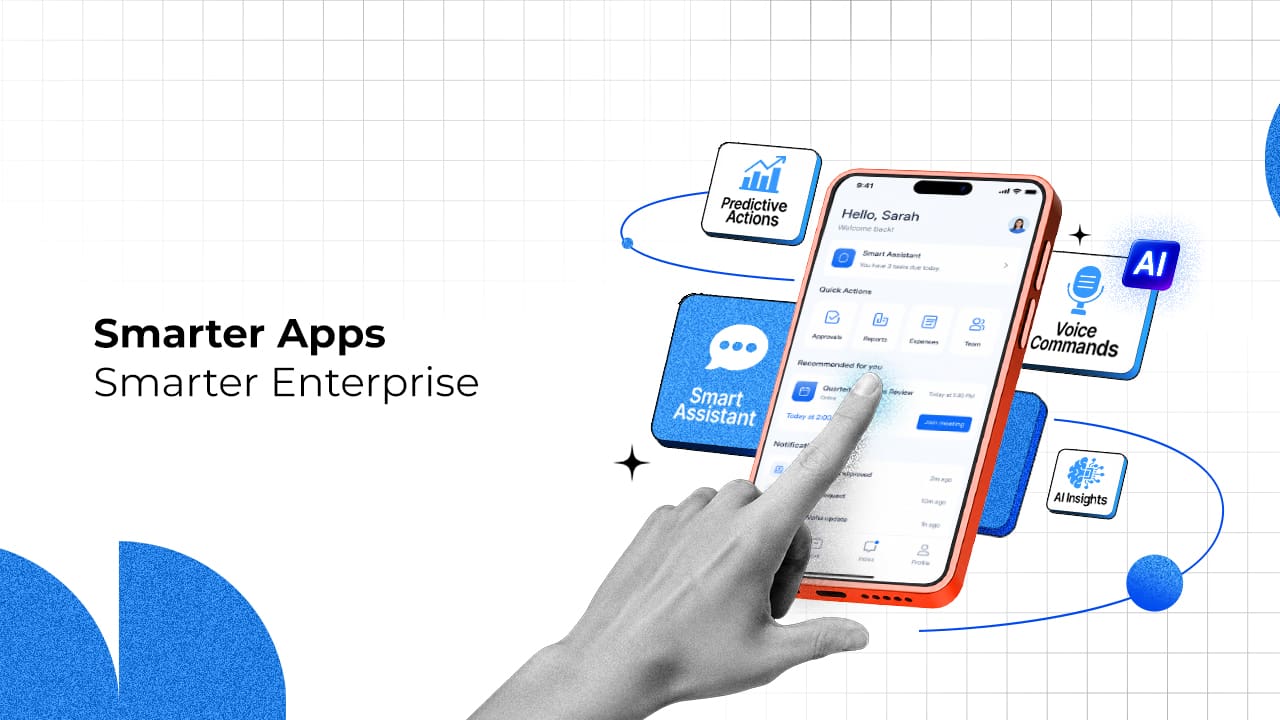
 Enterprise software used to have a reputation problem: powerful on the back end, clunky on the front end. That gap is closing fast because AI in enterprise mobile applications is no longer an experimental add-on — it is becoming the core engine behind how employees and customers interact with business apps. From predictive dashboards to voice-driven workflows, AI is quietly rewriting the rules of enterprise UX, and companies that ignore this shift risk losing both productivity and user trust. If you’re exploring how to future-proof your business apps, our mobile app development services team at Webskitters has been tracking this shift closely — and this guide breaks down exactly what’s changing and why it matters.
Why Enterprise UX Needed a Reset
Traditional enterprise apps were built for functionality first, usability second. Employees tolerated multi-step forms, static dashboards, and rigid navigation because there was no better option. That tolerance has run out.
Today’s workforce expects the same intuitive, responsive experience from a supply-chain app that they get from consumer apps like food delivery or ride-hailing platforms. AI is what makes that expectation achievable at enterprise scale — handling complexity in the background so the interface stays simple.
The Data Behind the Shift
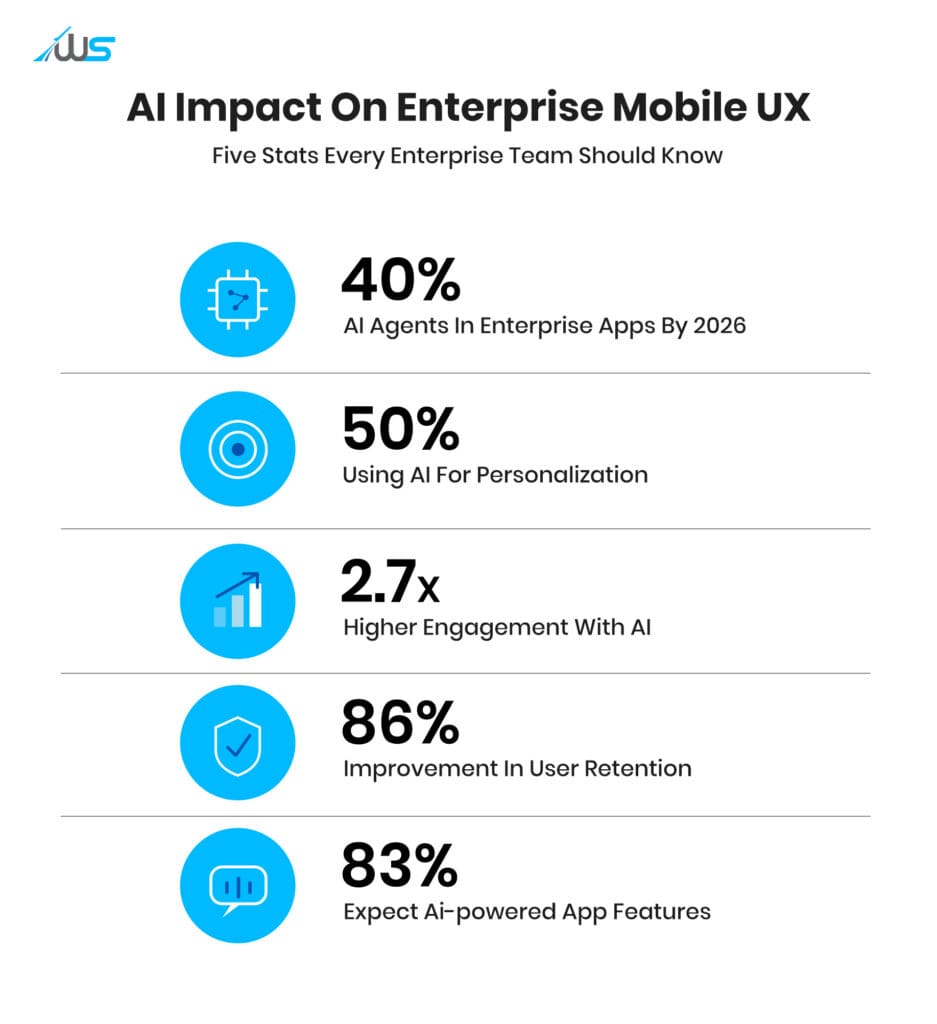
The numbers make it clear that this isn’t a passing trend. Enterprises are actively rebuilding their mobile strategy around AI-driven experiences.
| Metric | Data Point | Source |
|---|---|---|
| Enterprise apps with AI agents by end of 2026 | 40% | Gartner |
| Organizations using AI for personalization in enterprise mobile apps | 50% | Enterprise Mobile Apps Research |
| Engagement lift from AI-powered personalization | Up to 2.7x higher | Industry Benchmarks 2026 |
| Retention improvement from AI recommendation engines | Up to 86% | AI Mobile App Development Reports |
| Consumers who expect AI features in mobile apps | 83% | Consumer AI Expectations Study |
| Enterprise mobile apps used daily per employee | 8.2 apps | Enterprise App Usage Data |
Key takeaway: AI personalization isn’t a “nice-to-have” anymore — it directly correlates with engagement, retention, and productivity metrics that leadership teams already track.
According to Gartner, 40% of enterprise applications are projected to carry task-specific AI agents by the end of 2026, a sharp jump from less than 5% just a year earlier. This signals that AI is moving from pilot projects into core product architecture — and UX design has to keep pace.
1. Hyper-Personalization at the Interface Level
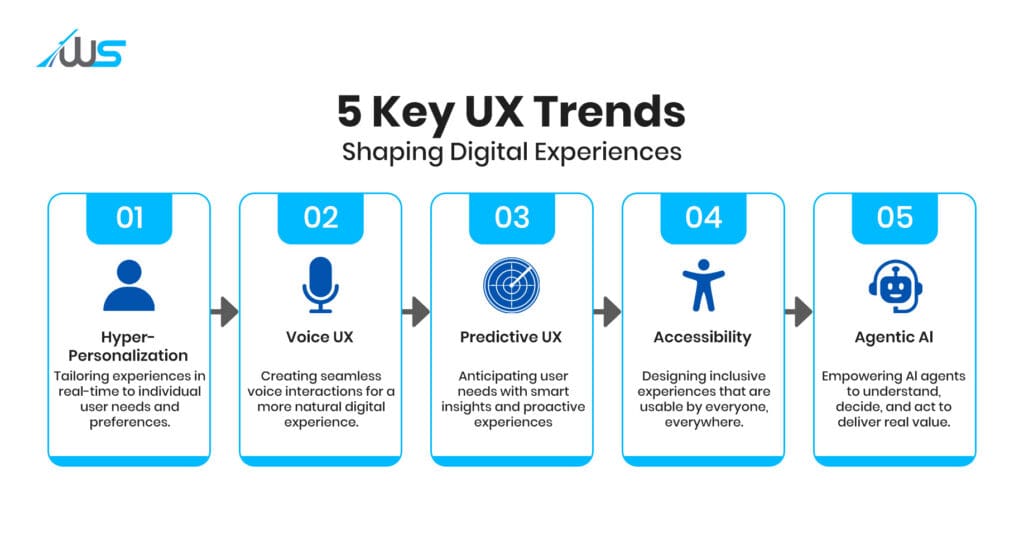
Generic dashboards are becoming obsolete. AI now allows enterprise apps to reshape themselves based on role, behavior, and real-time context.
- Role-based interfaces: A field technician and a regional manager see entirely different layouts of the same app, each optimized for their actual tasks.
- Behavioral adaptation: Frequently used features move higher in navigation automatically, reducing clicks and cognitive load.
- Contextual content: Location, time of day, and device type influence what information surfaces first.
This isn’t cosmetic. Personalized enterprise experiences reduce training time for new employees and cut down on the “where do I find this” friction that drains productivity.
2. Conversational and Voice-First Navigation
Natural language interfaces are replacing rigid menu structures in enterprise apps, especially for field-based and frontline workers who can’t always type or navigate multi-step forms.
- Voice commands for logging tasks, updating records, or querying data
- Chat-based assistants that pull answers directly from enterprise knowledge bases
- Multilingual support that removes language as a barrier to adoption
Practical example: A logistics driver can say “mark delivery 42 as completed” instead of opening five screens to update a status field.
3. Predictive and Proactive UX
Rather than waiting for users to search or click, AI-driven apps anticipate needs before they’re expressed.
- Predictive maintenance alerts in field-service apps flag equipment issues before failure
- Next-best-action suggestions guide sales teams toward the most relevant lead or task
- Smart notifications are timed and filtered by relevance instead of blasting every update
This proactive layer is what separates a merely functional app from one that genuinely improves how people work.
4. AI-Powered Accessibility and Inclusive Design
Accessibility has moved from a compliance checkbox to a design differentiator, and AI is accelerating that shift.
- Automated alt-text generation for images and dashboards
- Real-time transcription and translation for voice inputs
- Adaptive contrast and text sizing based on user behavior signals
Enterprises operating across multiple regions and demographics benefit directly — inclusive design widens the usable base of any app without requiring separate builds.
5. Agentic AI: From Assistants to Autonomous Workflows
The next evolution goes beyond chat assistants. Gartner outlines a five-stage roadmap in which nearly every enterprise application gains an AI assistant by the end of 2025, followed by task-specific agents acting independently in 2026, and collaborative multi-agent systems by 2027 (source).
What this means for UX design:
- Interfaces shift from “user clicks through steps” to “user approves or adjusts AI-suggested outcomes”
- Screens are designed around decision points rather than data entry
- Trust indicators (explainability, confidence scores, audit trails) become core UI elements, not afterthoughts
Designers now have to answer a new question: how much should the app do for the user versus with the user? Getting that balance wrong either overwhelms people with automation they don’t trust, or wastes the AI investment on features nobody uses.
Benefits of AI-Driven UX in Enterprise Mobile Apps
- Faster onboarding: Adaptive tutorials adjust based on how quickly a user grasps each feature
- Reduced operational costs: Fewer support tickets when the interface self-corrects for common errors
- Higher data accuracy: AI-assisted form validation catches mistakes before submission
- Improved decision-making: Real-time analytics surfaced directly in the workflow, not in a separate reporting tool
- Stronger user retention: Apps that adapt to the user consistently outperform static ones on long-term usage
Common Challenges Businesses Face
AI-driven UX isn’t a plug-and-play upgrade. Enterprises typically run into a few recurring obstacles:
1. Data silos: AI personalization is only as good as the data feeding it; fragmented systems limit accuracy
2. Talent gaps: Teams that combine mobile architecture skills with applied machine learning experience remain scarce
3. Over-automation risk: Automating too much too fast can erode user trust if the AI gets it wrong without a clear override option
4. Governance and compliance: Regulated industries need explainability built into the UX, not bolted on later
Addressing these early, during the design and architecture phase, is far cheaper than retrofitting AI into an app that wasn’t built to support it.
How to Start Integrating AI into Your Enterprise App’s UX
- Audit current friction points: Identify where users abandon tasks or repeatedly ask for help
- Prioritize one high-impact use case: Personalization, predictive alerts, or a conversational assistant — not all three at once
- Design for transparency: Let users see why the AI is suggesting something, and let them override it
- Test with real user cohorts: AI models improve with real usage data, so phased rollouts matter more than big-bang launches
- Partner with a team that understands both AI and mobile UX: These are two different disciplines that need to work as one
If your enterprise is evaluating this shift, our team can help you map an AI-integrated mobile roadmap tailored to your industry and existing tech stack.
The Road Ahead
By 2028, a meaningful share of enterprise user experiences are expected to move away from traditional native app interfaces toward more agentic, AI-orchestrated front ends. That doesn’t mean the app disappears — it means the interface becomes smarter about knowing what to show, when, and to whom.
Enterprises that start building this intelligence into their mobile UX now will have a significant head start over competitors still treating AI as a bolt-on feature.
Final Thoughts
AI in enterprise mobile applications is fundamentally changing what “good UX” means — from static, one-size-fits-all screens to adaptive, predictive, and increasingly autonomous experiences. The businesses that treat this as a UX strategy, not just a technical upgrade, are the ones seeing measurable gains in engagement, retention, and productivity.
At Webskitters, we help enterprises design and build mobile experiences where AI genuinely improves how people work, not just how the app looks. If you’re ready to explore what this could look like for your business, get in touch with our mobile app development experts.

 UI/UX Design
  Web Development
  Mobile App Development
  Internet Of Things
  Game Development
  Artificial Intelligence
  Digital Marketing
  Data Science Consulting