
 February 26, 2026
 You may have heard that Core Web Vitals (CWVs) affect your website’s rankings. Is that why you’ve reached here?
While you are on the right track, you need to understand that CWVs can’t be faked.
You can’t just tweak things here and there on your website and expect to boost your CWV score.
User experience (UX) reigns supreme.
In fact, Amazon did a study way back in 2006, and they realised that even a 100-millisecond delay can reduce sales.
So, if you really want top Core Web Vitals scores, you really need to make practical efforts during web development to optimize your website to such an extent that your users enjoy coming to your website. There’s no shortcut.
Before we get into the ways to improve your CWVs, let’s learn what Core Web Vitals is all about.
What Are Core Web Vitals and Why Should You Care in 2026?
CWVs or Core Web Vitals are Google’s set of standardized metrics, which it uses to gauge the user experience of a webpage, primarily taking into consideration the page’s load time, interactivity, and visual stability.
It’s a part of Google’s ongoing crusade to prioritize only high-quality user experience (UX) as a search ranking factor.
To put it simply, the search engine will only rank you high in SERPs (Search Engine Results Pages) if your website actually provides a top-notch user experience to those who land on it.
What Are The Three Core Web Vitals?
LargestContentful Paint (LCP) – How Fast Your Page Appears Ready
This is a measurement of how much time the largest visible content (whether it is an image, a video, or a text block) on your webpage takes to fully render.
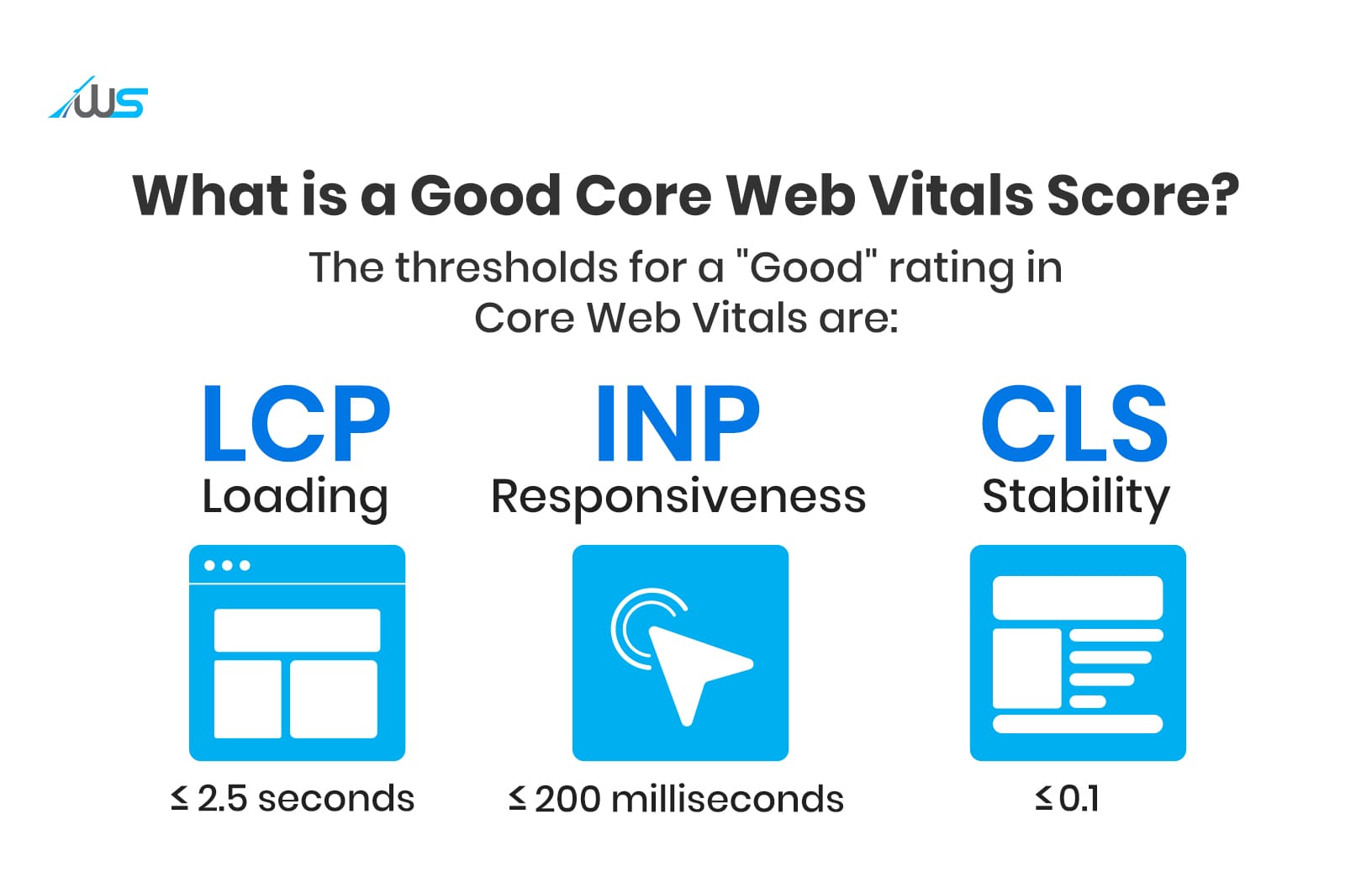
The recommended time for LCP is less than 2.5 seconds, while more than 4 seconds is considered poor LCP.
Interaction to Next Paint (INP) – How Fast Your Site RespondsTo User Interactions
INP is a calculation of the amount of time your webpage takes to respond to user interactions like taps on buttons, clicks on links, and key presses.
Basically, it looks at the delay between a user interaction and the time it takes for the browser to paint the next frame.
The INP that’s considered good is 200 milliseconds or less, and if it’s above 500 milliseconds, the page will be said to have an inferior INP.
Cumulative Layout Shift (CLS) –Do the Elements on Your Pages Shift Unexpectedly?
The metric measured here is the visual stability of the web page.
You may have noticed how some pages don’t load properly, and their elements are all haphazard.
Accordingly, a score is given to measure the amount of unwanted shifts in layout throughout the lifecycle of the webpage while the user is viewing it.
Core Web Vitals scores can be checked on tools like:
- Google Search Console
- PageSpeed Insights
What is a Good Core Web Vitals Score?
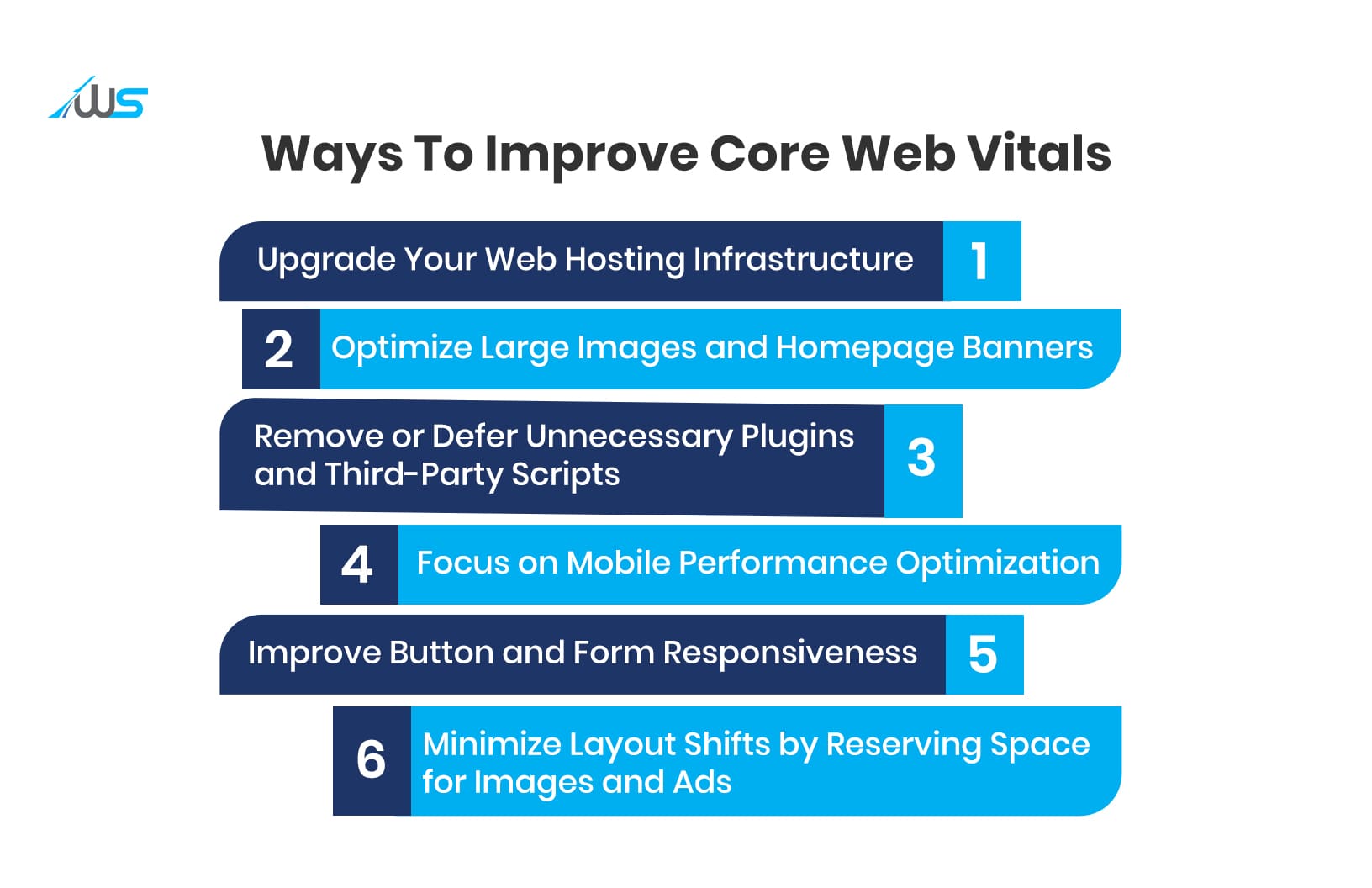
6 Key Ways to Improve Core Web Vitals in 2026
The truth is, you cannot try to trick the system to boost your Core Web Vitals scores. The only way to achieve a high CWV score and rank high on SERPs is by ensuring that your website functions as smoothly as possible.
So, the following tips are guidelines to optimize your website performance. The fact that it will boost your CWVs is the cherry on top.
1. Upgrade Your Hosting
The web host you are currently using may be causing your website to slow down.
These types of issues often arise for those who use a shared hosting plan, as the server resources get stretched.
This is true especially if the traffic to your site has experienced a sudden increase or if you have added a significantly higher amount of content (images, text, videos)
You can instead opt for managed hosting, dedicated servers or VPS hosting (virtual private server)
During web development it’s vital to opt for a powerful hosting environment. This will lead to better TTFB (Time to First Byte). TTFB is the “waiting time” between when the user clicks the link to your webpage and the browser displaying the very first speck of information from the server.
You would require a superior hosting environment if you expect to enhance the TTFB of your webpage.
If you can achieve good TTFB, this in turn will lead to optimal Largest Contentful Paint (LCP).
2. Reduce Heavy Images and Large Banners
Your webpage’s LCP and CLS will suffer if your website includes heavy images and large banners.
This does not mean that you use low-quality, unoptimized images on your website, as that would be counterproductive. There are several ways to do this without compromising quality.
A detailed study by HTTP Archive consistently shows that images account for the majority of page weight on most websites. So, image optimization of prime importance.
You can begin by compressing your files and using WebP/AVIF formats. Another way is lazy loading, where you essentially would be delaying the loading of all the non-critical resources until the user needs them.
It is also important to check the required display dimensions. So, if your homepage banner displays at 1200 pixels wide, there is really no reason to upload a 4000 pixel image. Extra data only slows the page down.
3. Remove or Delay Unnecessary Plugins and Scripts
Do you conduct regular performance audits of your website? If not, it’s time to start.
Your website includes installed plugins and third-party scripts, like analytics tools, chat widgets, and booking systems.
Every script competes for the browser’s attention. If too many scripts run at the same time, especially during page load, from the user’s perspective, the page may appear unresponsive or frustrating to use.
That delay affects Largest Contentful Paint and Interaction to Next Paint.
It’s understandable that over time your website may have accumulated plugins that are no longer required, or there may be two or three plugins attempting to solve the same minor task.
In case you come across a plugin that is not essential, remove it completely; do not just deactivate it.
Even some of your third-party scripts could be loading on every page, even when they are only useful on specific pages. Non-critical scripts like these can be delayed by using techniques like “defer” or “async” loading.
Basically, to make sure your pages render smoothly, your web developer will need to see that every plugin and script is only present if it is absolutely necessary.
4. Make Mobile Performance a Priority
Have you heard of mobile-first indexing?
Google’s algorithms use the mobile version of a website to content for indexing and ranking, as opposed to the desktop version. This decision by Google makes sense as most searches occur on mobile devices.
A Deloitte study found that a mere 0.1-second improvement in mobile site speed increased retail conversion rates by 8.4%
But unfortunately, a lot of websites are not optimized and have to pay the price in terms of slow loading, unresponsive designs, and layout shifts.
The most important technique to optimize your site for mobile devices is to ensure a responsive design.
This is done by delivering identical HTML from a single URL, no matter whether the visitor is using a phone, tablet, or desktop computer.
You can use formats like WebP or AVIF to compress your media files.
Another good method is to store static resources such as images, JavaScript, and CSS using browser caching. This way, anyone returning to your site will experience fast load times.
5. Fix Buttons and Forms That Feel Slow
f the ‘Submit’ button of your website’s enquiry form lags for a long time, it is bound to frustrate visitors. This is true about any other interactive element on your site, too.
That delay is usually caused when heavy JavaScript is blocking the main thread, causing delays to Interaction to Next Paint (INP).
The user interaction (button clicking) gets blocked by the JavaScript and does not paint (render) the updated screen quickly enough.
This can be solved by using methods like ‘setTimeout’or ‘requestIdleCallback’. These are ways to tell the browser to do a task later or to do it in the background. This way it does not interrupt what the user is doing at that moment.
6. Stop Layout Shifts (Reserve Space for Images and Ads)
While the content on your website is loading, it may randomly jump around the screen. This is what we mean by ‘layout shifts’.
If you have experienced these shifts while opening a webpage, you know how annoying it can be. A visitor to your page may make unintended clicks on they may not be able to interact with it properly.
A good method to prevent page elements from moving unexpectedly is to set aside fixed space for images, ads, or other content before they load.
So, when they appear, they do not push text or buttons into new positions.
It’s also best if you avoid animations or effects that change the size or position of elements while the page is loading, since those movements can cause the layout to shift and disrupt user interaction.
Key Tools– How to Test Your Website’s Core Web Vitals
Before improving anything, you would need to see where the issue is. Use the tools below to identify weak areas.
| DIY Website Builders | Custom Web Development | |
|---|---|---|
| Cost | Low starting cost with monthly fees | Higher upfront cost, built for long-term use |
| Setup | You handle everything yourself | A developer plans and builds it for you |
| Design | Limited to templates and presets | Designed around your business needs |
| Flexibility | Hard to change beyond basic options | Can be adjusted as your needs change |
| Speed | Can slow down with heavy templates | Built to load faster and run smoother |
| SEO Setup | Basic tools, limited control | Proper structure for better visibility |
| Scalability | Difficult to expand later | Built to grow with your business |
| Maintenance | You fix issues yourself | Ongoing support available if needed |
| End Result | Works, but often feels basic | Built to support traffic, leads, and sales |
What Core Web Vitals Will Mean for Rankings in 2026
In 2026, it’s clear that Core Web Vitals play a significant role in how Google assesses page experience and determines which websites deserve stronger visibility in search results.
Decisive Factor
Though quality is the most important aspect of content, CWV is a crucial ranking factor for competing pages of similar quality.
Mobile-First Approach
Google’s ranking is mostly based on the mobile version, and if the mobile version is slow, the website will see a decrease in rankings, irrespective of the desktop version’s speed.
Interaction to Next Paint (INP)
INP is a critical factor, and responsiveness to interactions (clicks/taps) is an important ranking factor.
User Engagement Factors
A good CWV will lead to improved user engagement, resulting in an increase in time on page and a decrease in bounce rates, indirectly affecting rankings.
Final Thoughts
As a website owner, it’s understandable that you may not have the luxury of time to concern yourself with the health of your website. Handling the core business and everything else involved is probably taxing enough.
But, now that you have invested time and money in building your website, it would be a shame if you didn’t get your money’s worth. All you have to do is optimize the UX of the site you have developed, and you can achieve that in the form of higher ranking, sales, and revenue.
If you need experts to handle the work, Webskitters’ team of experienced developers can take care of it all.
Connect with us to boost your site’s visibility.
Frequently Asked Questions
What is the meaning of CWV?
CWV stands for Core Web Vitals. These are performance metrics Google uses to measure how fast your page loads, how quickly it responds, and how stable it stays visually.
What is CLS and LCP?
CLS measures how much your page layout shifts while loading. LCP measures how long the largest visible content element takes to fully appear on screen for users.
What is a good Core Web Vitals score?
A good score means LCP under 2.5 seconds, INP under 200 milliseconds, and CLS below 0.1. Meeting these thresholds signals strong performance and a positive user experience.
How do I check my Core Web Vitals score?
You can check using Google Search Console or PageSpeed Insights. These tools show whether your pages are marked Good, Needs Improvement, or Poor based on real user data.

 UI/UX Design
  Web Development
  Mobile App Development
  Internet Of Things
  Game Development
  Artificial Intelligence
  Digital Marketing
  Data Science Consulting