 February 6, 2026
 In January 2026, DesignRush published its list of the top 10 web design and development agencies. These companies were assessed based on tech expertise, service breadth, design, client performance, and so on. High-converting web design is what we saw in all these websites.
While Baunfire, a Silicon Valley-based web design and development agency, topped the list, design agencies like Clay and Ramotion also made it to the rankings. So, looking at all these websites, as a business owner, you might think:
How do I make web designs that make my website stand out from the rest?
That’s why we are here with a comprehensive guide that informs you about all the important aspects of web design.
But, why web design has become so important today?
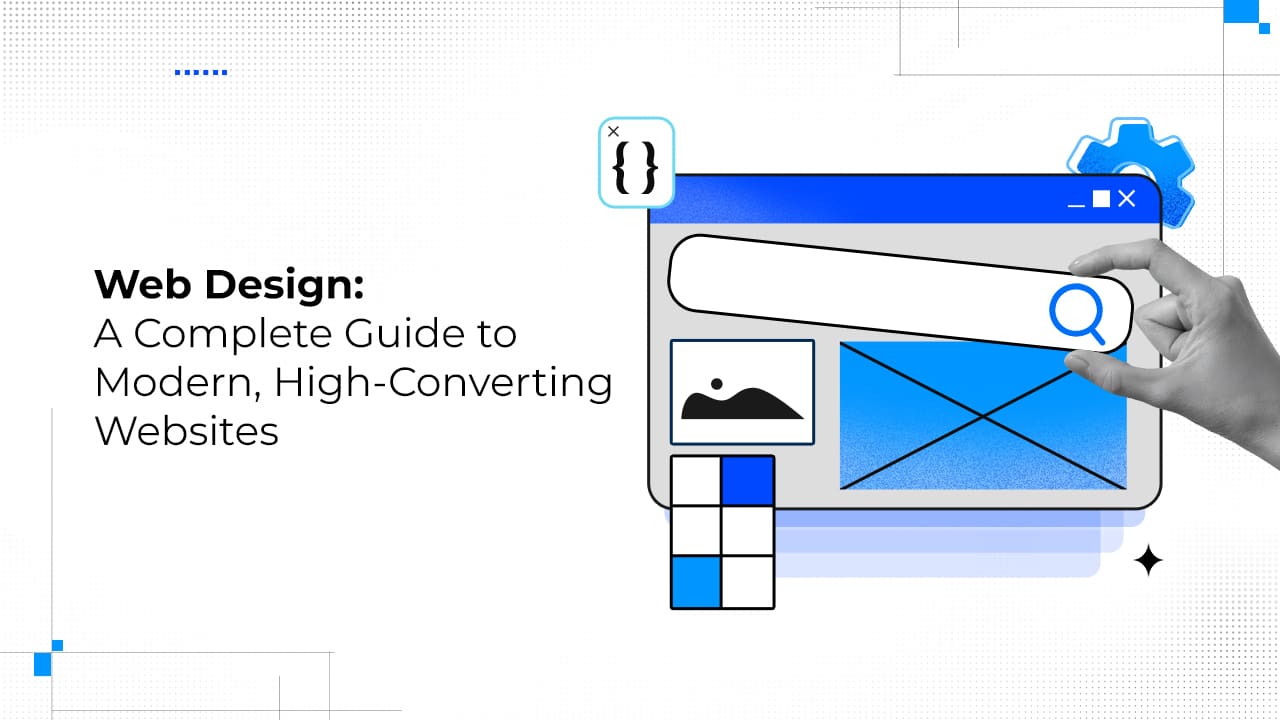
Web design has evolved into a dynamic, creativity-driven discipline focused on creating visually appealing, functional, and high-converting digital experiences. It goes beyond aesthetics by blending UI, UX, accessibility, performance, and SEO to create strong first impressions and guide users toward meaningful actions.
Effective web design builds trust, enhances engagement, improves search visibility, and directly impacts conversions and business revenue. UI design focuses on visual elements and interactivity, while UX design centers on research, user psychology, and crafting smooth, human-centric journeys, both overlapping but serving distinct roles.
Ultimately, a high-converting web design balances design principles, visual and functional elements, and strategic goals to deliver measurable ROI and long-term business growth.
We will learn all about these and more in this article. But first, we have to know what web design is.
Web Design: Your Gateway to High-Converting Websites
Right from the advent of the internet in the 1990s, web design has come a long way. Currently, there are more than 1 billion websites on the internet.
So, the web design industry is here to stay. The field is crowded with professionals and enthusiasts who strive to make something revolutionary. And, it’s not something new. The web design field sustains itself through creative forces. That’s why this field is highly dynamic in nature.
It is evident that you want to know more about this field. And, you have landed at the perfect spot. Before we go deep, let’s get the basics right!
What is Web Design?
Web design is one type of digital design that creates the look of a website. The look includes elements such as graphics, fonts, layouts, and user interfaces (UI) that provide an exceptional user experience (UX).
Is web design only about the look or aesthetics of the website? No, it’s not!
Let us refine that for you.
Web design is the process of ideating and arranging content on a site. This way, it can be accessed and shared with the world through the internet. It should be a perfect blend of aesthetics, functionality, accessibility, and inclusivity.
What are the goals of Web Design?
Let’s come straight to the point. The primary goal of high-converting web design is to create a first impression so strong that visitors want to know more about your brand.
The Goldfish Paradox
It is a proven fact that the average attention span of humans has fallen below the 9-second mark. The 9-second mark is significant because it is the attention span of notoriously fickle goldfish.
Apparently, a Microsoft Study reported that the average human attention span is only 8 seconds.
However, this report was rendered flawed. On one hand, experts argued that goldfish aren’t that ill-focused (and have good memory and learning capability).
On the other hand, other experts pointed out that the human attention span isn’t a one-size-fits-all concept. But, experts do believe that humans have developed a habit of quick scanning and quick switching.
Whether 8 seconds or not, the importance of first impressions cannot be overlooked in web design.
So, first impressions have a massive positive impact on your business outcomes and brand reputation.
A well-designed website not only awes visitors but also keeps them engaged throughout their journey. This drives them towards action.
If you think the aesthetic appeal is what defines a high-converting web design, you can’t be more wrong. Let’s explore the importance of web design to get a better idea.
Why Web Design is So Important?
| Dimensions | What It Does | How To Do It |
|---|---|---|
| User Experience (UX) and Engagement | Drives the user towards action and gives a long-lasting first impression | Intuitive and effective navigation Mobile-first design Visually aesthetic |
| CTA and Website Conversion | Convert visitors to customers and leads | Effective CTAs Trust-inducing elements Fast and smooth UI |
| User Trust | Increases brand reputation and enhances user trust | Brand consistency Content strategy alignment Visual storytelling |
| Search Engine Optimization (SEO) | Enhance UX and improves website visibility | Logical website architecture Smooth user journey |
01 User Engagement and User Experience
A high-converting web design always drives users to take the expected action. It encourages them to explore more of the website content, services, or products.
A blend of appealing visual elements and intuitive layout can enhance the user experience and engagement. Visitors are likely to stick to your site and interact if the user experience is good.
Source: Recap After Use
The Nielsen Norman Group reports that users leave web pages between 10 to 20 seconds. However, they tend to stay longer on sites that are clear about their value propositions. The portrayal of the value proposition is indeed a part of web design.
This not only gives you a scope to make your offerings visible but also helps you build meaningful relationships with the prospects and customers.
02 CTA and Website Conversion
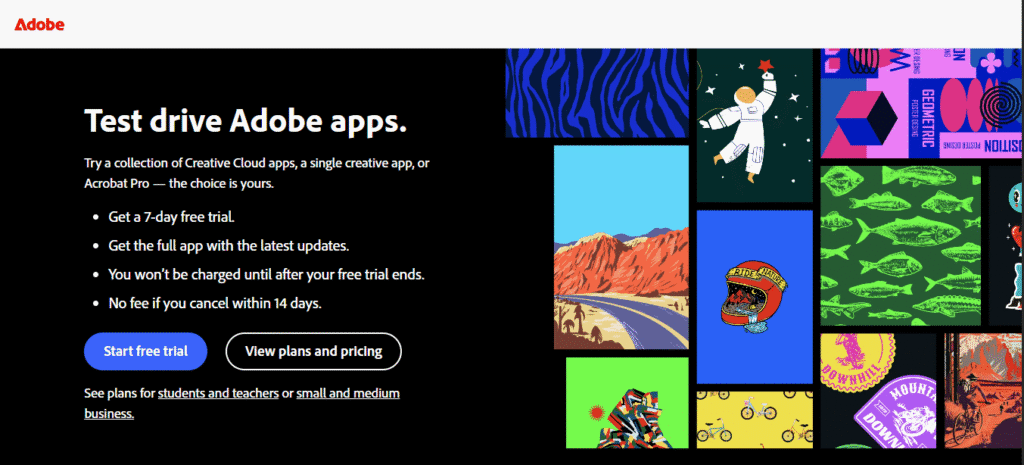
If you are a business owner, your objective will always be to convert as many visitors as possible into customers. That’s where web design comes to play. A high-converting web design can enhance website conversion.
Source: Adobe
To do that, you have to:
-
Incorporate effective Call-to-Actions (CTAs)
-
Include web design elements that increase trust
-
Design UI that loads fast and smoothly
03 User Trust in High-Converting Web Design
Your website is the digital showroom of your brand. It can also be considered your brand ambassador.
Through your site, you can empower your users to trust your brand. For that, you have to convey the brand message in a way that your users understand and can relate to. Otherwise, you will lose valuable leads.
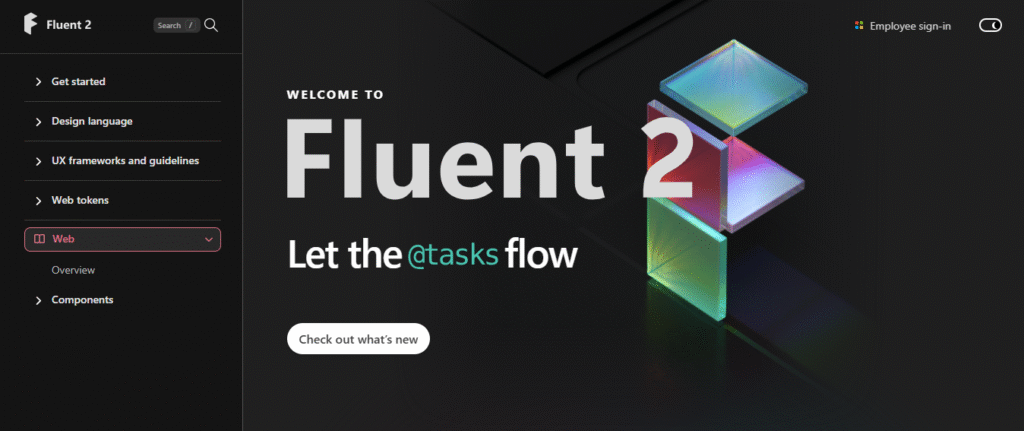
When it comes to the messaging, you will have to have a strong grasp on user psychology. User psychology matters in web design because different design elements and styles trigger different emotions in users.
It is worth mentioning here that Forbes reports that users form an opinion about your website in only 0.05 seconds.
A wrong trigger can compromise the trust of the user that you have won.
You can easily win user trust by:
-
Using branding consistently
-
Aligning your content strategy
-
Incorporating visual storytelling
04 Search Engine Optimization
A major part of SEO is also focused on website design. A well-structured web design can help the search engine crawlers to crawl the site more effectively and rank your website on SERPs (Search Engine Result Pages).

Source: Apple
Do you want to know more about SEO? You can check out Search Engine Optimization (SEO): The Complete Guide to Ranking, Traffic & Growth in 2026.
For SEO, you can:
-
Create a logical website architecture
-
Provide an exceptional user experience
More often than not, people confuse web design with UI/UX design. The fact is that UI design and UX design, although interconnected, are different. The UI is a subset of UX design.
Let’s discuss these first, and then try to explain their differences with web design.
What is UI Design?
UI design is the process of designing interfaces. It decides the visual representation of a website. So, it is responsible for the look of a website.
User Interface design include designing website elements like:
-
Layout
-
Textual information
-
Images
-
Animations
-
Interactions
-
Buttons
-
Sliders
What is the Role of a UI Designer?
The UI design process starts with the ideation of the aesthetics of the website. They also have to consider other aspects of web design like inclusivity, functionality, accessibility, and so on. Therefore, creative thinking is a must for these designers.
Then a selection of suitable fonts, color schemes, and other visual elements is done. While designing, the chief objective of UI designers is to determine what will resonate with the users. So, they should be clear about the design psychology and how the users will perceive it.
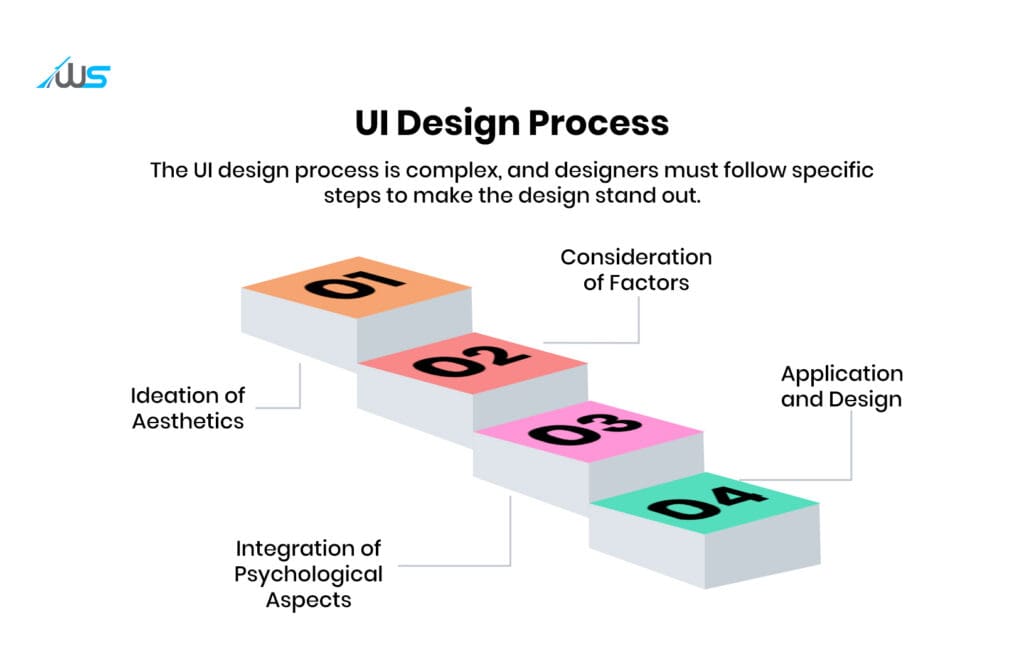
Now, we will explore the UI design considerations in detail to better understand the concept.
4 UI Design Considerations
In order to design an intuitive, appealing, and engaging UI, designers have to consider these 4 key elements.
1. Page Layout
The organization and assembly of the UI elements on a website or an app should be intuitive to the visitors. To achieve that, UI designers need to plan the positioning of different elements.
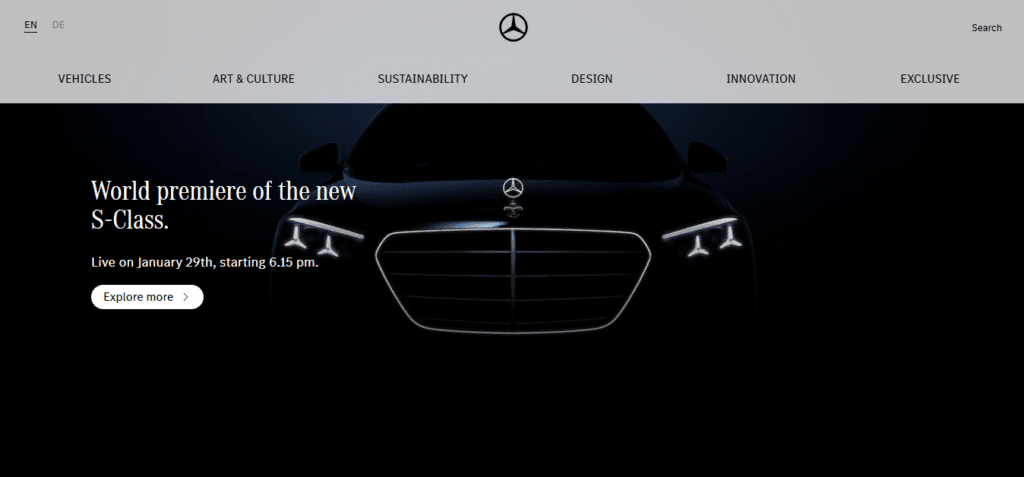
The Mercedes-Benz website is a great example of how intuitive UI design can be.
These decisions actually make or break the user experience. Everything, ranging from the header position to the inclusion of white space, is planned accordingly.
2. Fonts and Color Scheme
For this, the UI designers have to look at the brand guidelines and other key considerations like accessibility, inclusivity, and consistency.
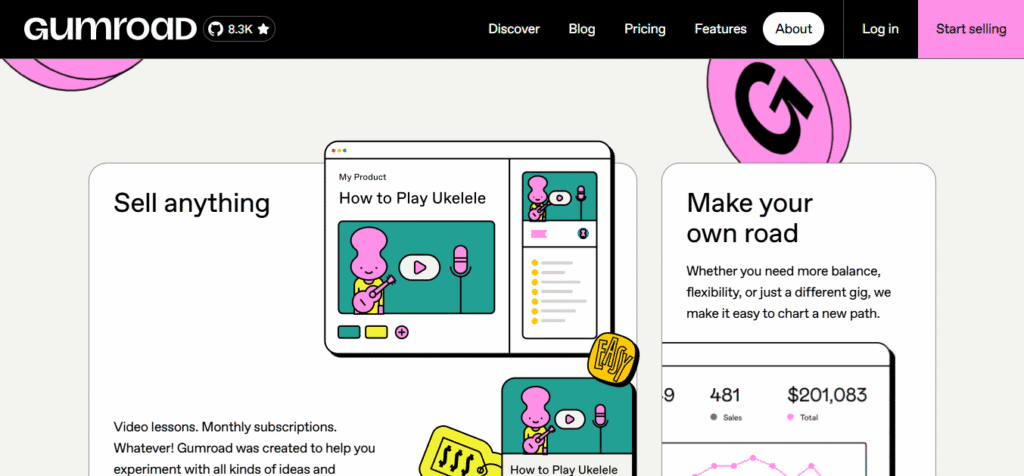
Although unconventional, Gumroad shows great design when it comes to the selection of color schemes and fonts.
Fun Fact: This website was created in the Neo-Brutalist design style.
After having a clear idea about the brand messaging and positioning, they carefully select the fonts and colors.
Did you know that 57% users will not recommend a business if they encounter a poorly designed website? That’s how important UI design (and web design as a whole) is. Although color schemes and fonts aren’t everything, they constitute a big chunk of high-converting web design.
3. Interactivity
Interactivity is one of the critical elements of UI design. Study suggests that 91% of users encountered an issue in their digital experience last year. And, interactions and structure are an integral part of the DX (Digital Experience).
Be it drop-down menus or buttons, interactivity needs to be considered at each phase of the design process. These designers create UI with interactive elements that make the flow intuitive.
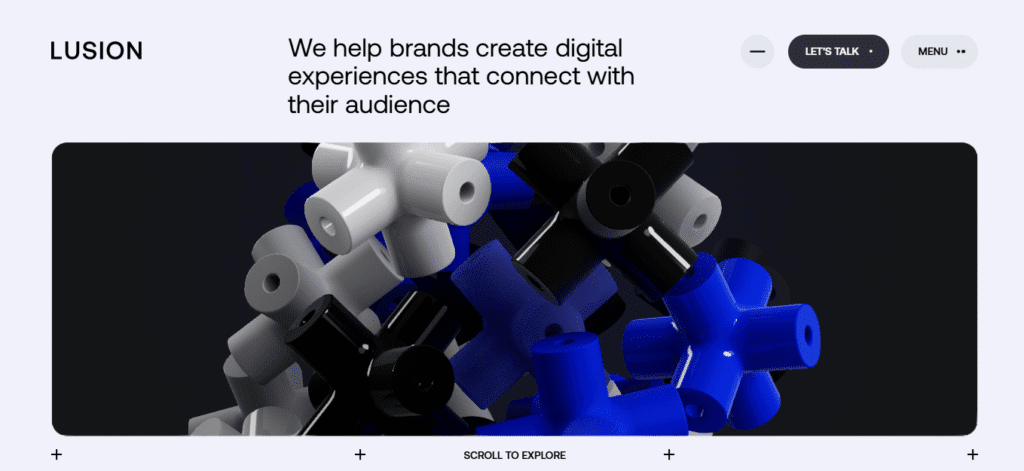
Lusion has a website that provides exceptional interactivity through Parallax Scrolling.
4. Wireframe and Prototyping
For this, the UI designers have to depend on UX designers. The UX designers provide the basic prototypes and wireframes through research and other processes.
The UI designers then transform these ideas into functional, interactive, high-fidelity web, and high converting web design.
Web Design vs UI Design
| Web Design | UI Design |
|---|---|
| Web design has a wide range of scope when it comes to designing websites. | UI design is more focused on creating UI and therefore, has restricted scope. |
| Web design also entails the creation of web pages (simple) by using programming languages. | UI design doesn't entail the execution of code for designs. However, it helps when UI designers have knowledge about programming languages. |
| Scripting languages like JavaScript, CSS, and HTML are needed to create simple web designs. | UI design doesn’t delve into that much detail. |
| Web design is not niche-specific. | UI design is somewhat niche-specific. |
What is UX Design?
UX design, or user experience design, is the process through which the user interaction is determined. UX design deals more with experiences and feelings.
This type of design is focused on the customer journey and how the brand wants to portray itself to the world. This is more research-focused than execution-focused.
But, how do the UX designers design exceptional UX? Let’s find out.
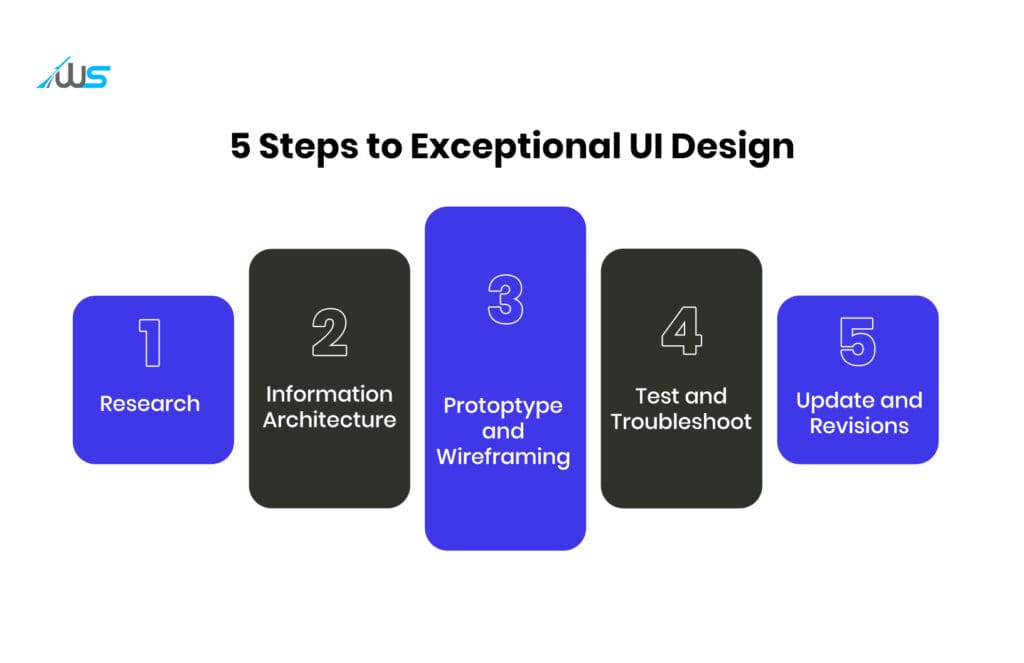
5 Steps to an Exceptional UX Design
There is much more to UX design than we encounter in the website UI. Here we will explain 5 steps to create an extraordinary UX design.
-
Research
There is no escaping your target audience if you want to provide an unforgettable user experience.
This is done through proper research. Through this UX research, the designers discover the user’s interests, pain points, and their behavior. Although this UX research is necessary for all websites, it is essential for eCommerce websites.
According to a report, around 40% of consumers have abandoned more than 100 USD/cart due to poor UX. This shows how important UX research is for high-converting web design.
-
IA (Information Architecture)
After conducting research to understand user behavior and needs, the next step for UX designers is to create an IA (Information Architecture) for the website or app. The designers have to:
-
Create a visual blueprint
-
Outline intuitive navigation
-
Plan a content hierarchy
-
Create a plan for interactions and features
This is done through IA flowcharts. It helps these designers understand and visualize the working of the digital product. It also helps them identify gaps in the product and help them mitigate those with additional updates or features.
-
Prototypes and Wireframes
If IA is the ideation, then wireframing and prototyping are parts of the execution phase. These are the processes that turn the ideas (Information Architecture) into practical outcomes. The UX designers use the concepts to:
-
Test ideas
-
Define further requirements
-
Establish priorities
-
Test and Troubleshoot
Now that the prototyping and wireframing is complete, we need to test it. This is done by product mockups. This is basically a demo of the designed digital product to see if the features and navigation works as intended.
If the test reveals gaps or issues like confusing menus, forms, or navigation, the UX designers troubleshoot the problems before the launch of the website or app. This adjustment is necessary to design a high-converting web design.
-
Updates and Revisions
It will be wrong to think that the role of UX designers is limited to the launch of the product. Even after launch, there is a great work to be done.
They have to constantly update and improve the product based on back-end analysis and user feedback.
For instance, in the pre-launch processes, the checkout process seemed normal in an eCommerce website. However, in the post-launch scenario, it was revealed that the users found the checkout process too lengthy and slow. This led to high cart abandonment.
So, the role of the UX designer now would be to streamline the checkout process and make it fast.
Figma variables offer a great way to achieve this exceptional User Experience.
Explore More: How Figma Variables Streamline Design Systems in 2026
Now the question is what are things that make up a good UX design? It’s time to discuss that.
How to Recognize a Good UX Design
You can easily recognize a good UX design by answering some specific questions like:
-
How useful is the site?
-
Is the site usable?
-
Is the design appealing and desirable?
-
How intuitive is the navigation of the site?
-
Can it be accessible by everyone?
-
Does the site give any value to the user?
-
Does the site seem credible and trustworthy?
If all these can be answered positively and explained effectively, one can say that the site has an exceptional UX, which is an essential part of a high-converting web design.
So, what’s the difference between web design and UX design?
Web Design vs UX Design
| Web Design | UX Design |
|---|---|
| Web design is a process that doesn’t need an extensive skill to create a user-centric design. | UX design is a process that demands visual design skills, programming knowledge, and most importantly the skill to make a human-centric design. |
| Web design doesn’t always take consideration of the users’ emotion and feelings. | Prioritizing human emotions and feelings during the usage of the product is the most important thing for UX designers. |
| Aesthetic appeal and functionality are the core objectives of this design process. | Its chief goal is to make a smooth and streamlined user experience that delights the users. |
| It doesn’t deal with the niche and other deep aspects of design. | UX design deals primarily with niche and user psychology. |
Where do UI and UX Design Overlap?
There is a growing trend of hiring UI/UX designers, rather than UI or UX designers separately. The US Bureau of Labor Statistics expects a 3% YoY growth throughout 2028 for UI/UX designers.
So, businesses are looking for designers that can do both UI and UX design. Some may argue that specialization and differentiation do matter between designing a UX and UI; we cannot completely discard the amalgamation of the two job roles.
“You can work in a team where you have UI designers and UX designers as separate disciplines. But a product designer or UX designer might take on UI responsibilities, working alongside someone like a business analyst to understand all of the scenarios that need to be covered.” — Hugo Raymond, Designer Advocate at Figma
Although UI design is generally considered a subset (or a specialized subset) of UX design, there are certain areas where they overlap.
-
User-Friendly Design Skills: Both the roles require professionals to understand user psychology to both improve the user interface of the website (or digital product) and the user experience.
-
Cross-Functional Aspect: The UI and UX designers need to collaborate with the developers and graphic designers to make a website that’s appealing, usable, and accessible.
-
Common Tools: There are certain common tools that are being used by the professionals of both these fields like Figma, Elementor, and so on.
The Difference between Web Design and Website Design
While the terms web design and website design seem synonymous, they aren’t. Web design is a much broader term that includes websites and web apps. Website design, on the other hand, delves specifically into websites.
To understand the difference better, we have to know the difference between websites and web apps.
Website vs Web Apps
Web apps and websites are not the same thing. Instead of them being different, it’s quite hard to differentiate between the two digital products in a straightforward way.
Plus, you cannot normally distinguish between a web app and a website when you browse the internet. But, there’s a way to find it out.
Web apps are more interactive than websites. Let’s understand what they are.
What are Websites?
Websites are a collection of pages that are under a specific domain. Web servers host websites. This process is called web hosting.
Web hosting allows websites to be found and accessed by users online. The UI/UX design helps the website become intuitively navigational and aesthetically appealing with the help if UI components and elements. All these UI elements help enhance the user experience or website UX.
A website can be built using a website builder or through custom website development. For this, the priority is always on creating a high-converting web design.
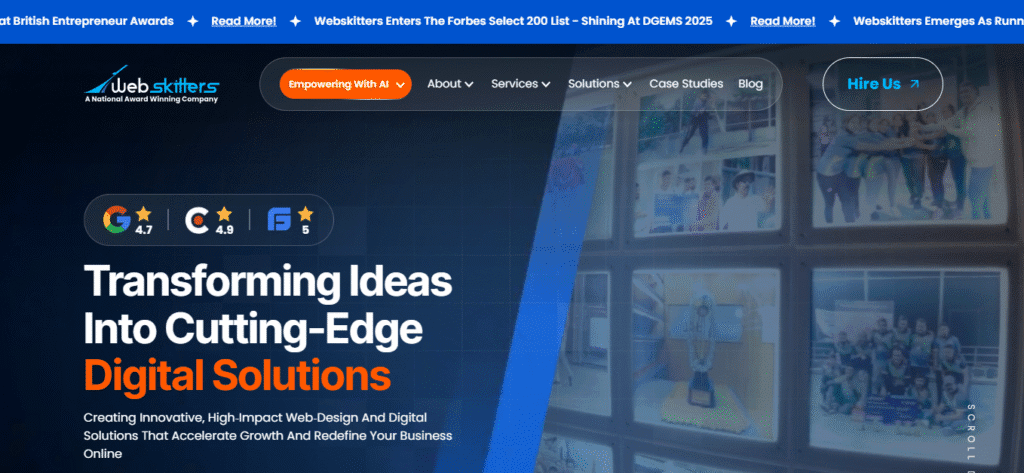
Source: Webskitters
What are Web Apps?
A web app is basically a type of software that can be accessed by the user through a web browser. It doesn’t need to be downloaded to be used, like a desktop or mobile app.
A web app allows users to interact with it. Actions like tweeting on X, posting on social media apps, or mailing on Gmail can be done in web apps.
Some examples of web apps include:
-
X (formerly Twitter)
-
Facebook
-
Netflix
-
Google Docs
-
Gmail
-
Pinterest
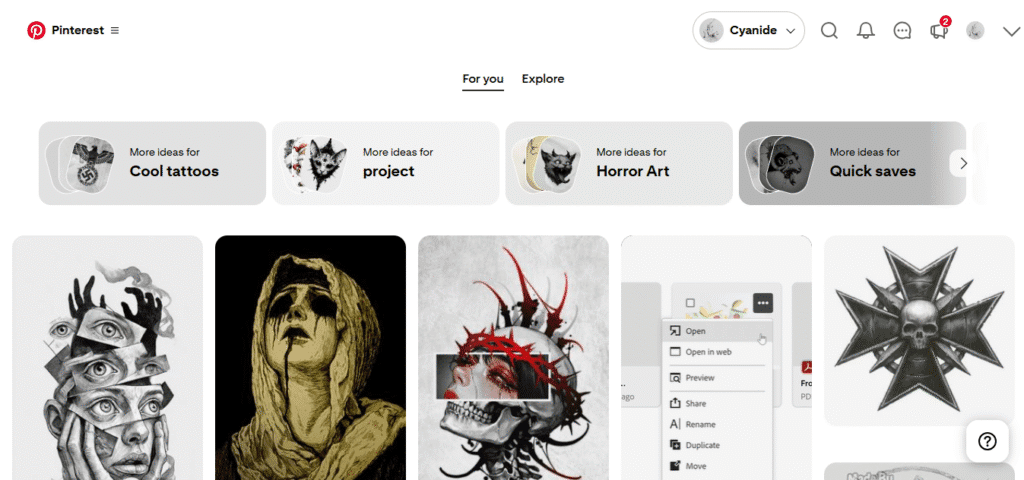
Source: Pinterest
What is the Difference between Web Apps and Websites?
By now, you already have an idea about websites and web apps. It’s time for us to chart the differences.
| Dimensions | Websites | Web Apps |
|---|---|---|
| Purpose | The primary purpose of websites is to provide information to users. | Web apps help users to take an action or complete a particular task. |
| Interactivity & Functionality | Most websites use static content. So, there are no interactive functionalities in them. This means users can’t interact with the content. | In web apps, there are interactive elements that are used by users to complete the intended task. |
| Development and Design | Websites are easier to develop and design as they are not that complex. Moreover, there are template-based website builders, too, that can create websites for you. | Web apps are slightly more complex to design and develop than websites. This is because of the interactive functionalities and features of web apps. |
| Information Storage | The website stores user information, but not to the extent of web apps. | Because web apps store much more sensitive data than websites, they require stronger security measures. |
| Usability | Websites are comparatively more usable than web apps due to user familiarity. | Web apps, sometimes, can be a bit hard to use with all the functionalities and other useful features. |
So, web design will naturally be more complex than website design, due to increased functionalities, interactivity, accessibility, and so on.
We already mentioned that websites can be built using template-based tools. Now is the time for us to delve more deeply into it.
Website Builders: Custom Web Design vs Template-Based Web Design
When you decide to launch your business online, the first dilemma that comes up is whether you should go for a custom web design or a template-based web design.
This is an important decision because your selection can shape your business outcomes. It also decides the growth of your business online.
Let us simplify that for you. First, you need to understand what the two concepts are.
Understanding Custom vs Template Web Design
What is Custom Web Design?
A custom web design is one created from scratch. You hire custom web developers and designers who generate mockups through UI/UX design processes and then write the code accordingly.

Source: Mercedes AMG
Do you want to know how we did that for Mercedes AMG? You can check out our case study: Embrace the Extraordinary Automotive Website Design for Mercedes with Webskitters.
While custom UI/UX and web designers ideate your website, the custom developers include the ideated features and elements through coding, all from scratch.
What is Template Web Design?
Template web design is a process of designing a website through templates that already include pre-coded elements and features.
This process is more of a drag-and-drop one. In majority of cases, you can download and apply a theme and make minor changes as per your preference.
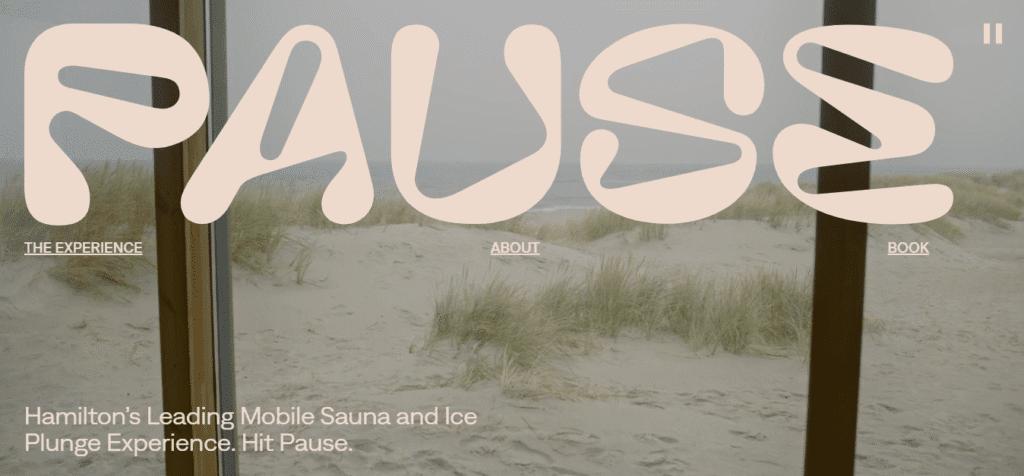
Source: Pause
Custom Web Design vs Template Web Design: A Comparison
| Aspects | Custom Web Design | Template Web Design |
|---|---|---|
| Uniqueness | A custom web design helps you build the website from scratch. The color, navigation, layout, and everything are designed specifically according to your brand. This ensures that your website stands out. | A template-based website builder can't provide uniqueness to your business website. There's even a chance that template-based solutions can lead to a website that looks highly generic. |
| Customization | As the website is designed from scratch, you can customize everything about your website. You can have almost no limit on the degree of customization. | You will get limited customization options with template-based website builders. |
| Search Engine Optimization | Custom-built websites can handle complex and emerging SEO practices. | These websites can help you with simple website SEO. |
| Performance | If you go for custom web design, you can develop websites that ensure high performance and fast load times by following practices like code minification. | Templates are notorious for poor performance and slow load speeds. You can’t get exceptional performance with template-based websites. |
| Security | Custom website builders are experts who can write strong code that secures your website from malicious attacks. | Due to the absence of custom coding, template-based web designs lack strong website security. This becomes even weaker with the incorporation of vulnerable plugins. |
| Scalability | You can scale your website with the growth of your business. | The scalability is very limited with website builders, as they aren't that flexible. |
| Budget | Custom-coded websites are usually expensive. | Website builders don’t require huge investments. |
| Time to Market | As these custom websites are built in phases, it can take a considerable amount of time for development. | These websites can be launched in hours. |
So, before deciding between custom web design vs template web design, you have to look into factors like:
-
Business goals
-
Budget
-
Resources
-
Desirable time to market
The bottom line is that if you want your website to stand out and align with your business objectives, you should go for custom web design. But, if you want your website to be launched quickly and have considerable budgetary restraints, you can opt for template web design.
Principles of Design
The foremost things to understand are the principles of web design, if you want to learn about effective, high-converting web design processes.
Application of these principles can help both designers and business owners. On one hand, the designers will have a better understanding of what works and what doesn’t in web designs.
On the other hand, the business owners will have a better idea what to expect and how their web designs can be improved.
These principles are not strict ones. Designers can always tweak it to their advantage with a creative touch. But, it’s good to know about them.
Balance
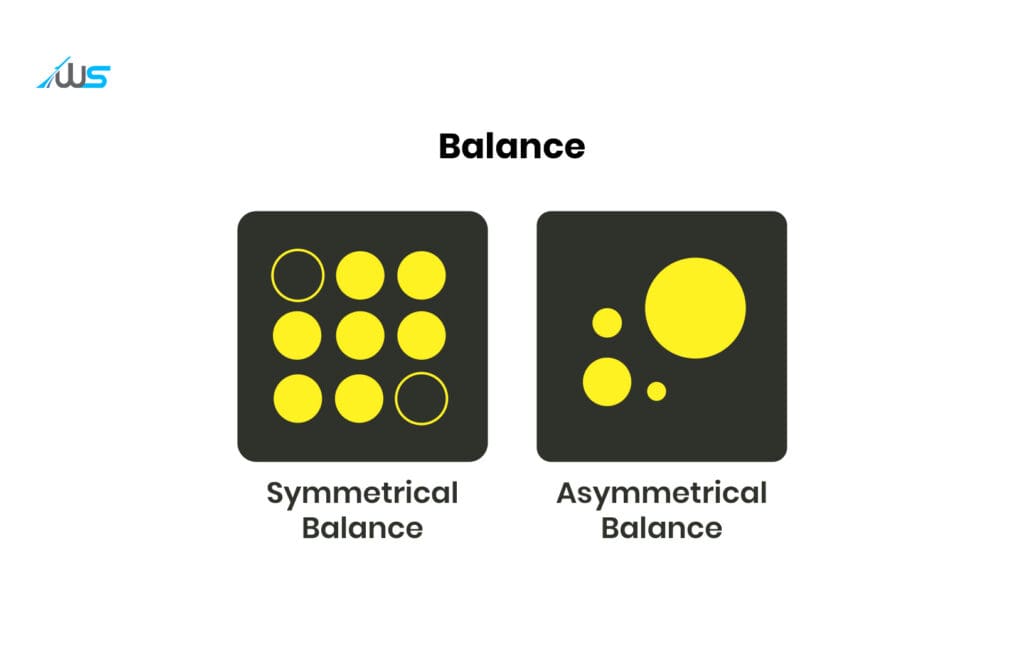
Visual balance in design means not having an element in a composition that overpowers the others. This can easily be applied by drawing a hypothetical line down the center of the page and then placing elements, balancing equally on both sides.
There are two ways to achieve this.
Symmetrical Visual Balance
It is when the balance on both sides of the composition is achieved by splitting the composition into two mirror images. In web design, this balance can evoke a positive emotion of balance, consistency, and beauty.
Asymmetrical Visual Balance
The asymmetrical balance is when there’s equal weight on both sides of the composition, but the lines won’t be arranged like a mirror image. This is an approach of modern web design. The goal here is to provide a dynamic user experience while maintaining a balanced composition.
Contrast
The WCAG guidelines state that a minimum contrast ratio of 4:5:1 is needed for normal text. This is important for accessibility and is a major driver of enhanced user experience.
Why contrast is important in web design?
-
300 million users have some form of color blindness
-
15% of US users (adults) have a declining trend in visual acuity
-
Almost 86.4% of renowned websites have low contrast issues
Ratio Guide (Recommended)
| Size of Text | Minimum Ratio (AA) | Enhanced Ratio (AAA) |
|---|---|---|
| Normal | 04:05:01 | 07:01 |
| Large | 03:01 | 04:05:01 |
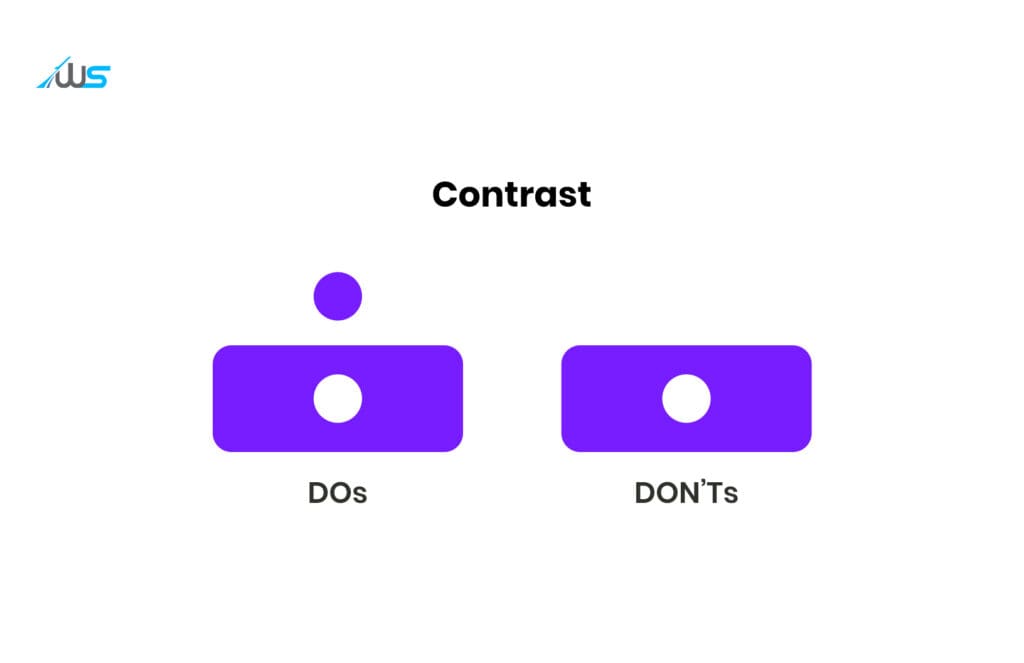
Contrast is the process of arranging juxtaposed elements in a way that their differences are highlighted properly. The differences might be dark vs light, smooth vs rough, or large vs small.
If done right, this exciting and dramatic design principle can captivate users as they scroll through your web platform.
Emphasis
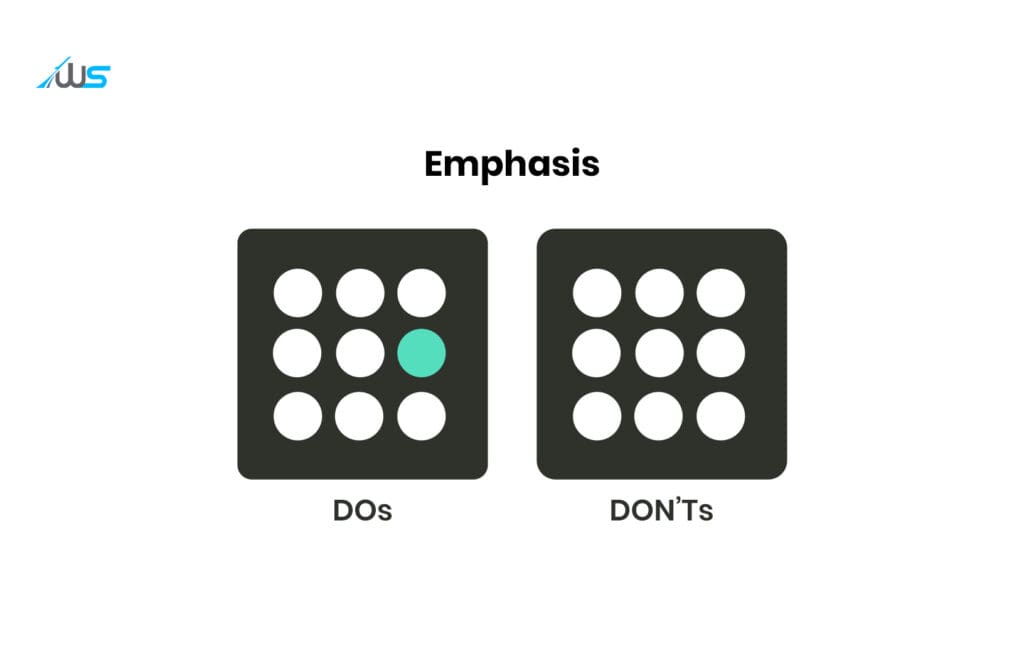
This design principle reminds us that all the elements in a composition aren’t equally important. Be it the logo, the CTA, or an image, if you intend your users to notice an element first, you have to highlight it.
If you follow the design principle of Emphasis, use animations, bright colors, or enhanced size. This way, you can justify the dominant dimension of your composition.
Movement
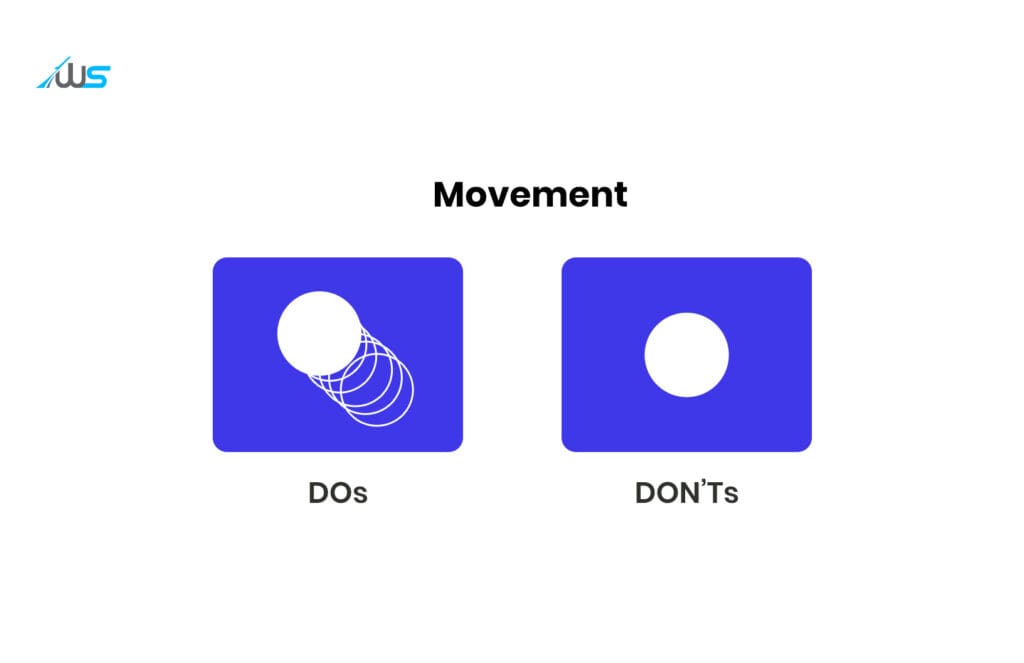
This is the aspect that determines how users will move from one element to another. This basically guides the user from the important elements to the less important ones.
In high-converting web designs, this is done by properly controlling the direction, order, and size of UI elements. This will determine the path followed by the user’s eyes throughout the interface.
You can find this in the interactive web products where techniques of gamification are incorporated in the UI design.
Rhythm
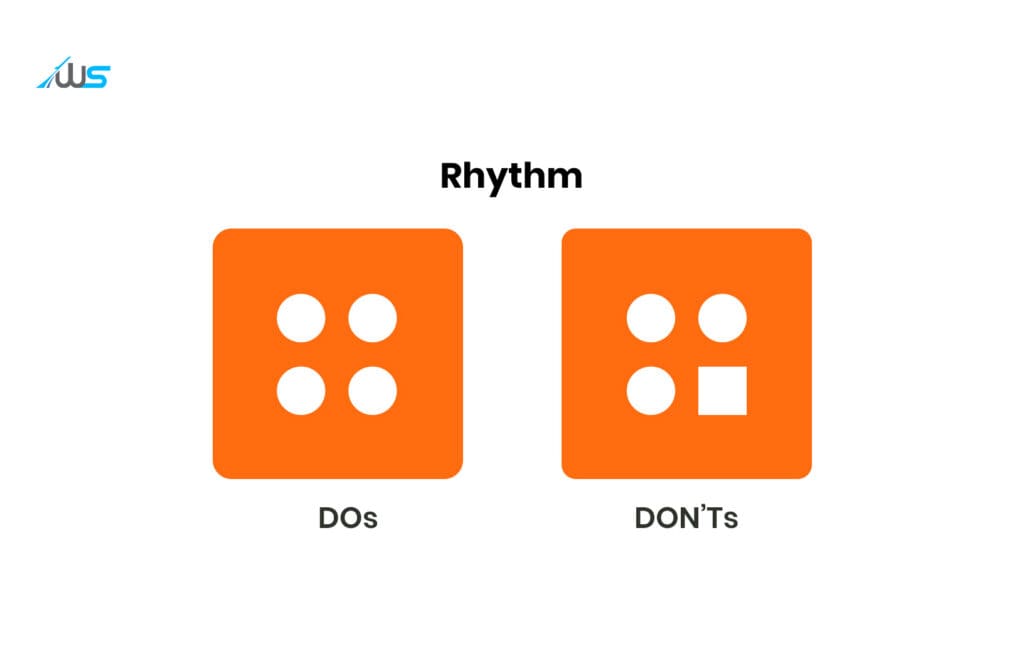
There are times when web platforms need to repeat certain elements in the interface. Rhythm is the principle that effectively manages the order of repeated elements.
This repetition is sometimes necessary to create cohesiveness and consistency while amplifying an important message.
Repeating visual elements such as logos, brand colours, and complementary colours strengthens the brand identity.
Hierarchy
By the principle of Emphasis, we know that it’s important to distinguish between the important and less important elements in a UI. The principle of Hierarchy is a way to achieve that.
Hierarchy in web design is all about the placement of elements based on the degree of importance. The hierarchy should be incorporated in a way that the users come across the most important content.
For instance, you know how frustrating it is to find the name of the business at the end of the page or interface. Your users are learning everything you do without knowing the name of your business. This is simply a poor design practice.

White Space
White space in web design is any void in the interface that doesn’t have any element (even if it’s not white). You might think that it isn’t that important and nothing to pay attention to. But the use of white space in design cleverly gives the elements room to breathe.
It can also help you achieve other principles stated above.

Unity
After you have added all the elements to the interface, you should consider the harmony or unity of those elements. The goal of unity is to make sure that the users do not get confused, overwhelmed, or frustrated.
It’s somehow hard to achieve unity. But once you achieve that, you can make each element play a role in the overall functioning of your site.
This means that you have to know about the elements you want to include, their position, and their role in the high-converting web design.

It’s time to discuss the key elements of web design now. Let’s go.
Key Elements of Web Design
Be it the vintage UI stripped naked of any interactivity or the fully gamified and AI-integrated web products of 2026, there are certain key elements that have dominated the design landscape.
Although interconnected, these key elements can be grouped under two groups: Visual elements and functional elements.

Visual Elements of Web Design
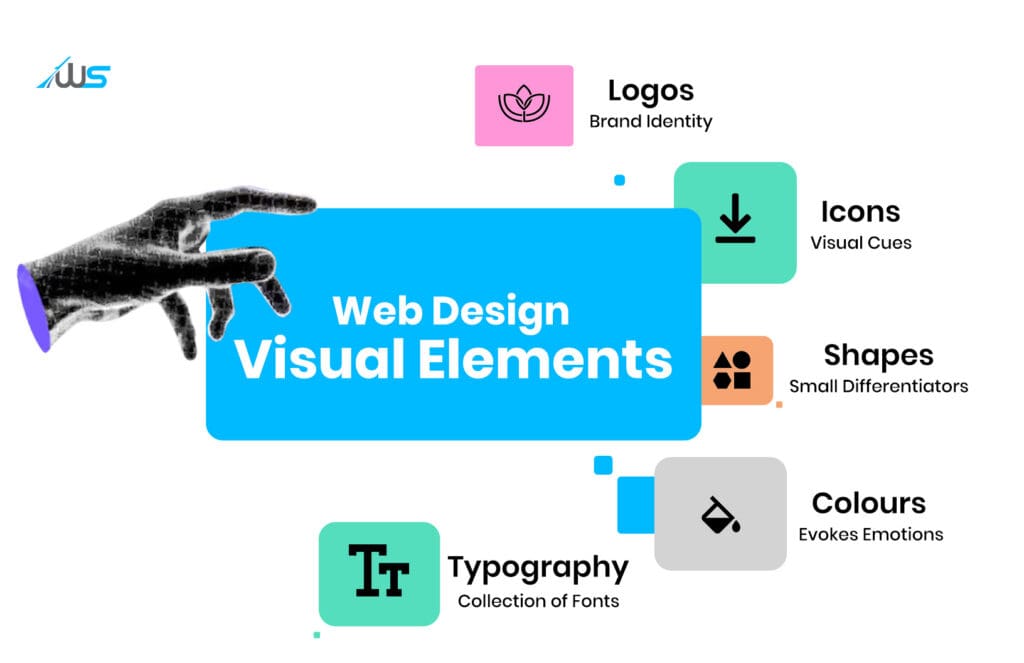
Aesthetically appealing and high-converting websites have certain visual elements that are fundamental. These elements’ goal is to provide a readable and visually appealing web design. Let’s explore all that.
-
Typography
It is a collection of fonts that is used to display the text on the web platform. It includes:
-
Placement
-
Sizing
-
Weight
-
Line spacing
-
Styling
-
Alignment
-
Whitespace usage
Every high-converting web design makes good use of typographical elements to create a harmony in the website aesthetics.
Now, it will be highly inappropriate to think that minimalist typography is desirable. The typographies are based on the objective of the website or web app.
For instance, look at this website.

The IBM website is minimalist and the typography is clear and concise.

On the other hand, Duolingo has minimal but interactive typography. There are also websites where Maximalist Typography also works. Everything depends on the goal the business website or web app wants to achieve.
-
Colors
Color is one of the most important visual elements of web design. You can evoke emotions in users by leveraging color psychology effectively.
It can make or break your web product. Statistics state that 39% of consumers are drawn to color schemes the most compared to other visual elements. On one hand, it can drive visitors away, and on the other, colors can influence decisions that are beneficial for your business.
Before going for the color, along with a comprehensive knowledge of color psychology, you need to have a defined brand identity. The brand identity gives your brand a visual identity that makes people recognize your brand anywhere.
There are color palette generators available that can help you determine a color scheme for yourself.
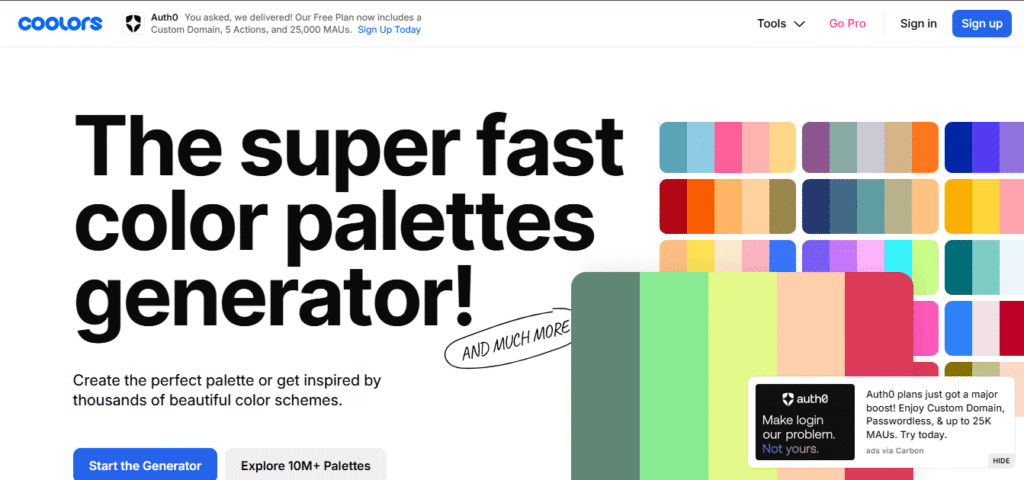
Coolors is one such tool.
-
Shapes in Web Design
The shapes used in high-converting web design are:
-
Geometric
-
Organic
-
Abstract
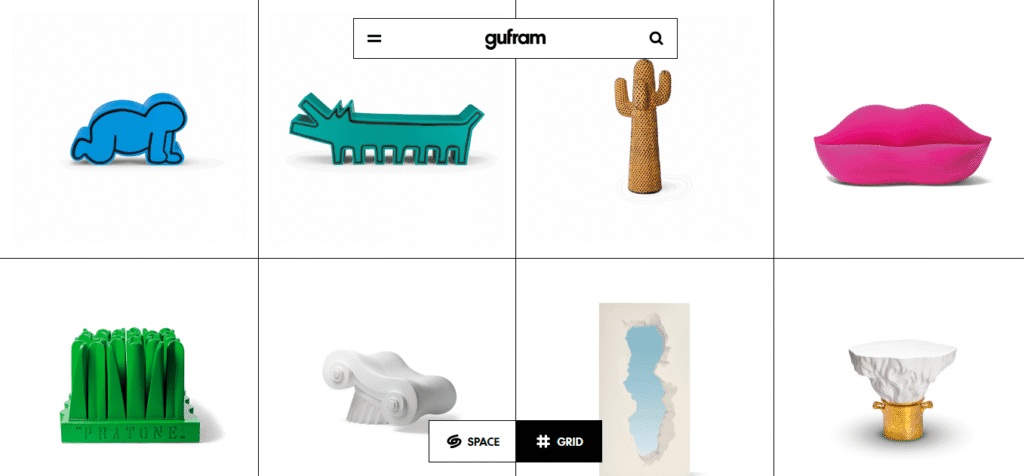
Source: Gufram
These are the small yet significant elements that give a boost to your designs and content. Shapes also accompany navigation and enrich visitors’ visual experience. This enhancement in visual experience makes the user experience smoother and more seamless.
-
Icons
The icons may seem irrelevant, but they are an essential part of high-converting web design. Basically, they are visual cues that guide readers and clarify processes.
Instead of being small, they are responsible for an exceptional user experience and seamless navigation.
All the icons, ranging from play buttons to menus, can be seen everywhere in web designs. These icons play various roles. They may be small but are meaningful, functional, and unobtrusive.
In reality, they guide users to targeted action.
-
Logos
Logos are the critical parts of brand identity. That is how the visitors recognize your business.
This is the reason why logos are always positioned at the top of any web page. So, it is the first visual interaction between the business and the user.
More often than not, logos are also placed at the bottom of the web pages to have a lasting impact and make the business more aligned with the brand identity.
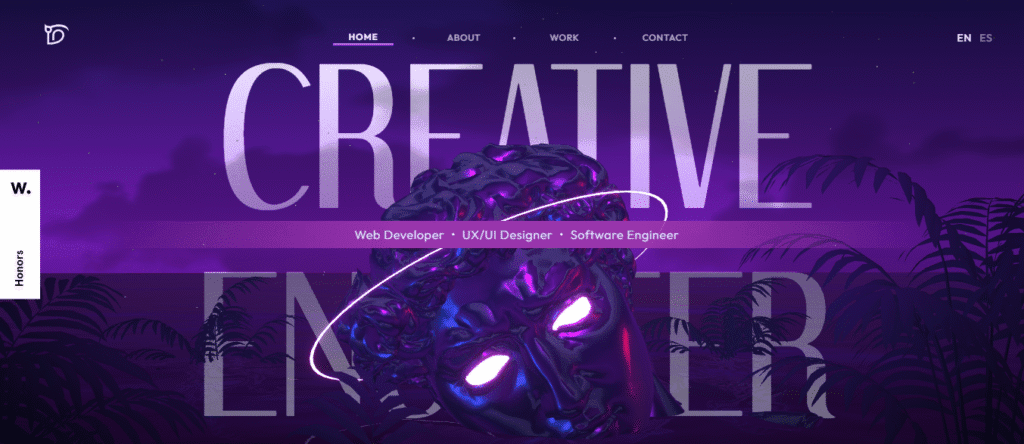
On this website, you can see that the logo is visible throughout the page as you scroll to the end.
Functional Elements of Web Design
Only the aesthetic appeal doesn’t necessarily guarantee a high-converting web design. The functional elements are what enhance the usability of the website, bringing inner functionalities to the surface.
-
User Experience in Web Design
UX includes every part of a high-converting web design. It includes everything, ranging from wireframes to slider or transition effects.
UX depends on:
-
Usability
-
Usefulness
-
Desirability
-
Accessibility
-
Inclusivity
All these principles are systematically and harmoniously incorporated in a way that all functionalities and components of the web product are presented well.
However, it’s quite easy to make mistakes during the determination and incorporation of the functional elements of web design. Mistakes like an imbalance between aesthetics and functionality, ignoring user needs and feedback, overlooking in-between states, and so on can hurt your web platform’s UX.
If you want to learn more about the most common UX mistakes, you can check out “5 Deadly UX Mistakes That Hurt Your Website Conversions.”
-
Load Speed
Although it may seem that the load speed is a technical aspect of web development, it is very much dependent on web design.
Every modern web designer should prioritize load speed because it is better for rankings and engagement. So, designers shouldn’t overload the design with unwanted decorations or multimedia. They have to avoid content-heavy layouts and focus on lightweight solutions.
-
Search Engine Optimization
There is no denying the fact that SEO is the foundation for a well-ranked web product. SEO helps:
-
Generate traffic
-
Increase exposure
-
Improve UX
SEO works differently for different sites and apps. On one end, there may be specialists who dictate the prioritization of content, affecting the hierarchy and structure.
On the other, certain platforms don’t need stringent content prioritization. There might be designs that don’t need much animation, interactive elements, or images, which could improve load speed. Core Web Vitals play a major role in this.
Learn more: 10 Core Web Vitals Optimization Tactics to Skyrocket Your SEO
So, a cross-departmental collaboration is necessary. And, a high-converting web design needs a perfect blend of aesthetics, functionality, and adherence to SEO strategies.
-
Intuitive Navigation in Web Design
Navigation is a broad term. It includes different elements of a high-converting web design. The primary function of this element is to guide users smoothly throughout the entire UI (User Interface). The navigational elements include:
-
Menu
-
List
-
Links
-
Buttons
-
Copies

Osmo is one such site that we found to have exceptional navigation.
A seamless navigation allows users to get the information they want without much effort. Without proper navigation, the visitors might get lost and frustrated. Along with providing a good user experience (UX), it also contributes to aspects like balance, hierarchy, SEO, and structure.
How to Calculate the ROI of Web Design?
While 59% of users prefer spending time on aesthetically pleasing websites, another report suggests that 65% of users prefer usability. But, the question of the hour remains.
How do I calculate the ROI of my web design?
Majority of businesses assess their web design through isolated performance metrics like visual quality, awards, load speed, or conversion rate. Although these metrics are easy to capture, they don’t show the real contribution of that design to the business.
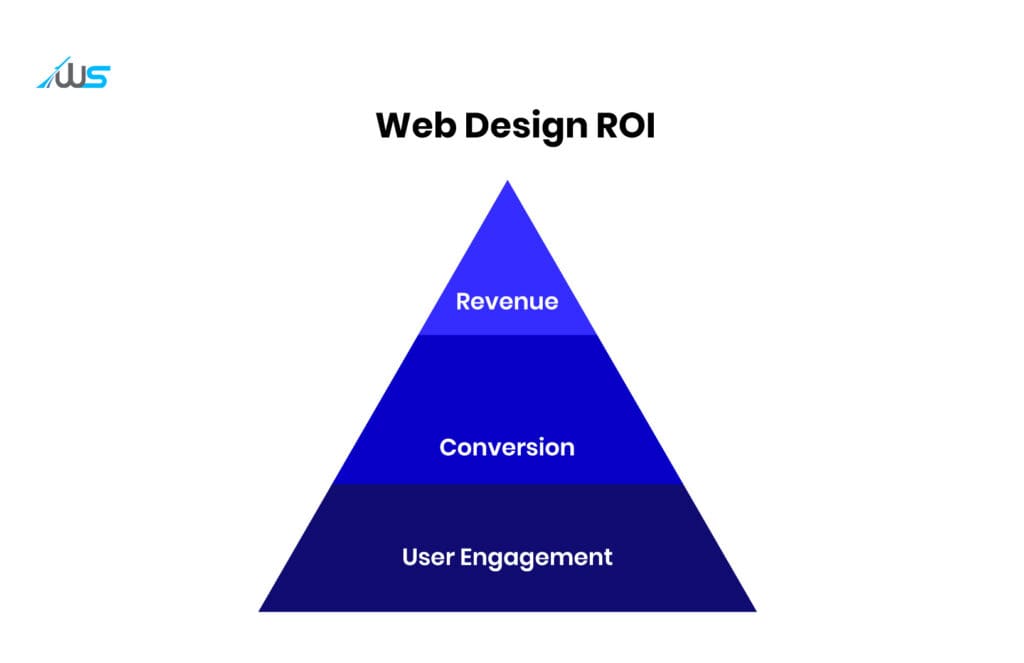
A workable ROI measurement works on three basic levels.
-
User Engagement
User engagement is not just about decreased bounce rate. When looking to work with a business or buy a product, the user scrolls, compares products or services, opens different sections, looks for proofs, and tries to understand the business.
This way, they make informed decisions.
All these rarely make it to revenue reports. But, these are the instances when the web design either fails or succeeds.
Session Duration
This matters as it reflects the time users spend on your website or app. Longer duration signals proper structure, hierarchy, and aesthetic appeal. People spend more time on platforms when they can easily follow the logic of the site.
Pages per Session
This next part shows the effectiveness of navigation. Navigation is the aspect that supports the web design logic.
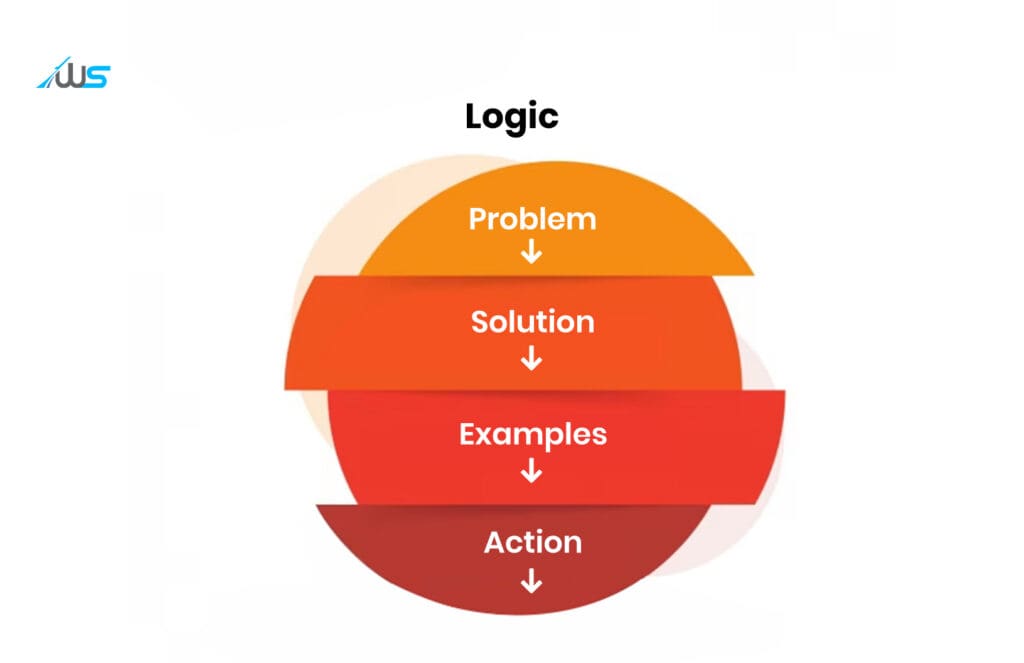
If the users don’t go through this pattern, it generally suggests confusion and frustration.
Interaction Data
Interaction data is something that is more important than both of the above metrics. It includes:
-
Scroll depth
-
Feature clicks
-
Pricing toggles
-
Filter usage
-
Video views
-
Internal navigation
All these show whether the UI makes sense to people or not.
Session duration, page per session, and interaction data are the first things that signal if the web design makes an impact or not.
In a nutshell, the engagement metrics don’t directly show the web design ROI. They signal if the design has created the prerequisites for generating considerable ROI.
-
Conversion Metrics
Conversions are the first major metric that helps determine the ROI.
For B2B or service-based businesses, this is primarily a lead activity. Demos, contact forms, inbound inquiries, and consultations are all a part of it. However, web design influences conversions.
The conversion metric gives an idea about how natural these interactions are and the extent to which users trust the business to submit their information.
For SaaS companies (product-based), the signals shift to trial starts and account creations. Here, the design focuses on clarity. The structure, sequencing, onboarding cues, and feature explanations determine if interest turns into usage.
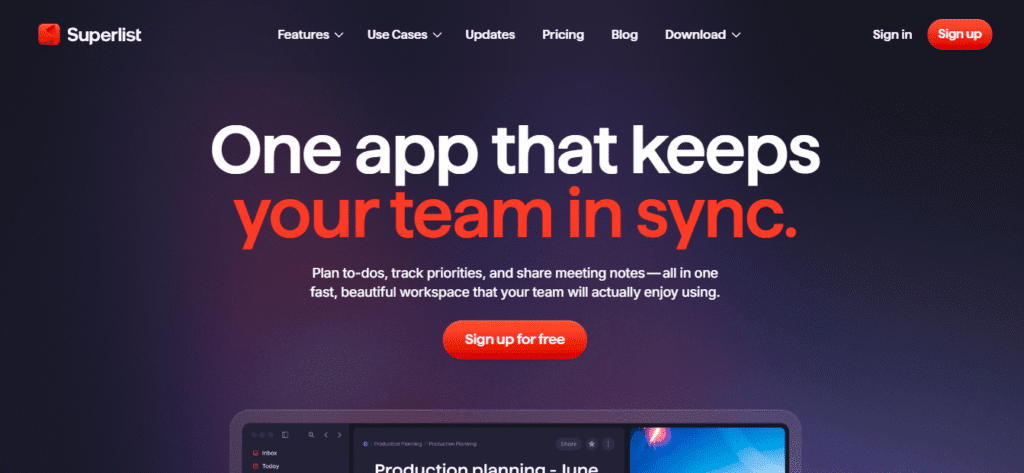
Source: Superlist
This metric determines if the web design made it easy and garnered trust among visitors to take meaningful actions.
-
Revenue Metrics
Revenue is the place where the design finally speaks to the business.
Customer Acquisition Cost (CAC)
This cost shows how effectively the web design is turning traffic into leads. People tend to invest in businesses more when the web design provides clarity, usability, and trust.
If the design is efficient enough, the customer acquisition cost starts getting lower without increased marketing expense.
Lifetime Value (LTV)
This identifier goes beyond the first transaction. It deals with the lifetime CX (Customer Experience). Web design influences:
-
Onboarding quality
-
Usability
-
Reliability
When all these things improve, user retention grows substantially. Plus, the support load drops and expansion revenue generation becomes easy.
Average Revenue per User
This is another layer to it. UI changes in packaging, upgrade flows, and pricing can influence the customer spend (even when signup and traffic volume remain the same).
When the revenue metric is tied to conversion and engagement metrics, we can stop seeing design from a visual perspective only. We can evaluate it as a fact that transforms how the business earns money.
Now that we know how we can measure ROI of web design, let’s see how to make a high-converting web design that clicks.
Web Design Best Practices
Web design is not just about aesthetics or functionality but a nuanced blend of both. To create a high-converting web design, we need a delicate balance. To help you strike the perfect blend, here are 5 web design best practices.
Maintaining a Visual Consistency
If you have a well-defined brand identity, users will come to your website or app and will be able to recognize it instantly. This will foster user trust and they will feel comfortable around your web product.
That’s why visual consistency is extremely important. And, how to achieve that?
-
Sticking to a color palette: You have to limit your color choices to a palette of 3 to 5 colors that reflect the brand personality and complement each other. Once determined, you need to apply it throughout the digital product, social media, and marketing materials.
-
Stick to relevant fonts: Determine one to two fonts for the web product and maintain its integration consistently throughout all pages. You have to avoid confusing fonts and fonts with low readability. Plus, the fonts must align well with your brand’s tone.
-
Imagery alignment: Use images that align well with the brand personality and style. You also have to use consistent visual themes and filters to maintain visual consistency.
Developing a Hierarchy
Hierarchy is what guides users through the website or app, making sure that all the critical information is highlighted properly. It’s important because the eyes take only 2.6 seconds to focus on the key area of a page.
Visual flow is of great importance here. This flow is achieved when you strategically arrange content based on its significance and importance in the UI.
This makes sure that the visitors who are scanning the UI instead of reading get the required information. Once you have determined the most important aspects, follow these:
-
Defining objective: For determining the page hierarchy, the first step is to define the business objectives. Then you have to rank them according to their importance. The hierarchy needs to align with this ranking.
-
Relevant content placement on the top: The above-the-fold area of the page (top portion) is the vital part of the rest of the page. Visitors form an opinion about the web page content based on what they see at the top.
-
Headers and other visual cues: Apart from positioning and layout, visual elements also make the site hierarchy clear. While proper headers label and structure the content, color and element size maintain focal points.
Making Use of White Space
It has been observed that in a cluttered environment, people feel distracted, overwhelmed, and stressed. A cluttered web design has the same unpleasant effect on the user.
To avoid a confusing and stressed user experience, ample white space needs to be used. This can reduce the visual noise and help enhance the browsing experience.
How to use white space in high-converting web design?
-
Strategic grouping: Negative space helps in content grouping, differentiating between relevant and irrelevant elements. Principle of proximity can be used for this. If you can place content near each other, users can visually associate them with each other. This improves navigation and content relationships.
-
Grid-based layout: Grids are an important element of modern web design. They help the designers distribute elements on a page.
-
Padding and margin: If you size the padding and margins effectively, you can give your users a visually pleasing and balanced experience.
Conclusion
So, web design is just like any other design field, highly volatile and ever-evolving. It’s not easy to create a high-converting web design without knowing the basic principles of design.
While most of us focus on aesthetic appeal, functionality, usability, and accessibility are also required to make your web product highly engaging and interactive.
Although there exists a large room for error, one can easily overcome those challenges by following the best practices.
The world of web design gives you endless opportunities to learn, innovate, and experiment. But, knowing the nitty-gritties of it can make you build digital products that stand out.
Want to know more about how you can make a high-converting web design for your own business website or app? Book a call with Webskitters and talk to our experts about the ways to make your app or website extraordinary.
FAQs
1. What is web design?
Web design is the process of creating visually appealing, functional, and user-friendly websites.
2. Why is web design important for businesses?
It shapes first impressions, builds trust, and directly impacts user engagement and conversions.
3. Is web design only about aesthetics?
No, it combines aesthetics with usability, accessibility, performance, and functionality.
4. What is the difference between web design and UI design?
Web design has a broader scope, while UI design focuses specifically on visual interfaces and interactions.
5. How does UX design influence web design?
UX design ensures the website is intuitive, human-centric, and aligned with user needs and behavior.
6. Can web design affect SEO rankings?
Yes, good web design improves site structure, load speed, and user experience, which boosts SEO.
7. What makes a web design high-converting?
Clear value propositions, intuitive navigation, fast performance, and effective CTAs.
8. Should I choose custom web design or template-based design?
Custom design offers flexibility and scalability, while templates are faster and budget-friendly.
9. How does web design build user trust?
Through consistent branding, clear messaging, and a seamless, reliable user experience.
10. How can the ROI of web design be measured?
By tracking engagement, conversion rates, and revenue-related metrics like CAC and LTV.
 UI/UX Design
  Web Development
  Mobile App Development
  Internet Of Things
  Game Development
  Artificial Intelligence
  Digital Marketing
  Data Science Consulting